Load Balancer
Once the ECS cluster of containers are running, you need a load balancer to route the traffic from the internet or other source to the individual containers. The load balancer publishes a public FQDN that can be used. Start by creating target groups. Each target group defines a port that is forwarded to the ECS containers when the load balancer endpoint is hit. For each inbound listener set up in the QIE environment, create a target group and add it to the load balancer.
The load balancer carries interface listener ports only. Never add the QIE console port to it: the console is the administrative interface, and it does not need to be reachable from the internet to run channels. Administrators reach the console another way, as described in Reach the Console and in the High Availability guide's network layout.
Warning
For the ECS service, the Network Load Balancer cannot have more than five target groups attached to the service. This means that you can only have 5 ports routed to any ECS service. If you need to route more than 5 ports to the service, you must deploy multiple ECS services resulting in more QIE tasks running. If that is not something you want to do, then you may want to consider deploying in EKS instead. See https://docs.aws.amazon.com/AmazonECS/latest/developerguide/service-load-balancing.html for more information about this limitation.
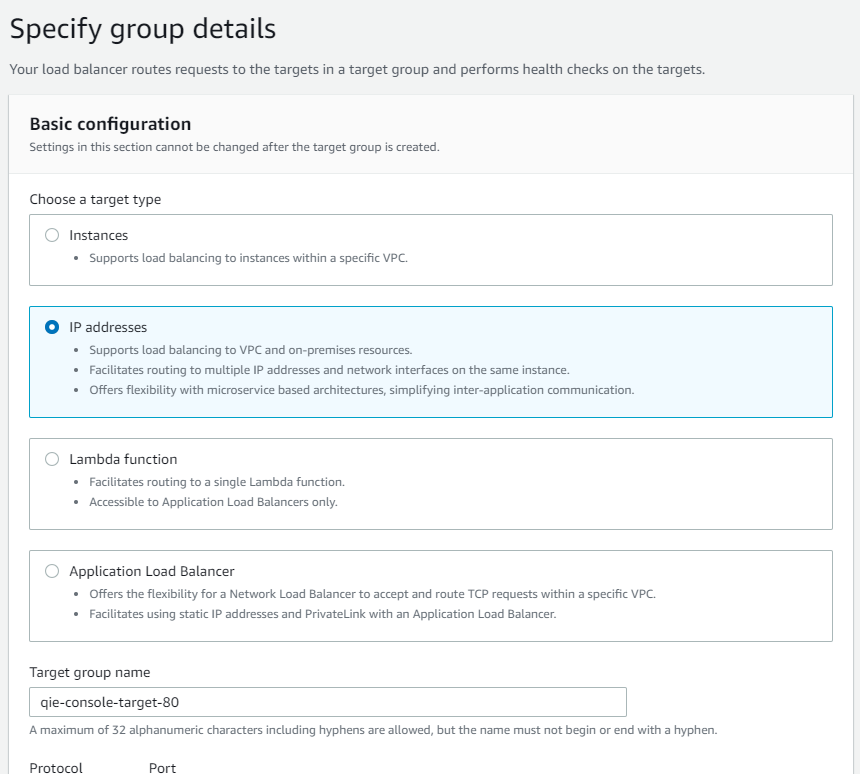
Create Target Group
From the EC2 management page, select 'Target Groups' from the menu on the left. Click on the 'Create target group' button at the top of the page.
Select 'IP address' as the 'target type'. This example opens port 8443 for a secure HTTP receiver in a channel, so type in 'qie-secure-8443' as the target group name. Change the 'Protocol' to 'TCP'. Now make sure the 'Port' is '8443' and then select the correct VPC from the drop-down menu.
Under the 'Health checks', change the 'Health check protocol' from 'TCP' to HTTP, then click on the 'Advanced health check settings' to expand the advanced options. Change the 'Port' from 'Traffic port' to 'Override' and set the port to '8080'. Now, click on the 'Next' button at the bottom of the page.
You are prompted to register targets, you can click on the 'Remove' button next to the 'IPv4 address' line, then select the 'Create target group' at the bottom of the page.
Now change the attributes of this target. From the 'Target groups' page, select the checkbox next to the 'qie-secure-8443' target group, then on the top-right side of the page select the 'Actions' drop down and click on 'Edit attributes'.
Click on the 'Preserve client IP addresses' checkbox, then click 'Save changes' at the bottom of the page.
Note
The 'Preserve client IP address' forces all inbound traffic to use the external IP address, if you are wanting to give access to the QIE service from internal services only, then you do not want to have this checkbox checked.
Repeat this step for any other ports that need to be opened to QIE for inbound traffic to the engine. For example, for an HL7 MLLP receiver on port 6661 you might name the target group 'qie-mllp-6661' and set the port to '6661'. All the other settings are the same as above.
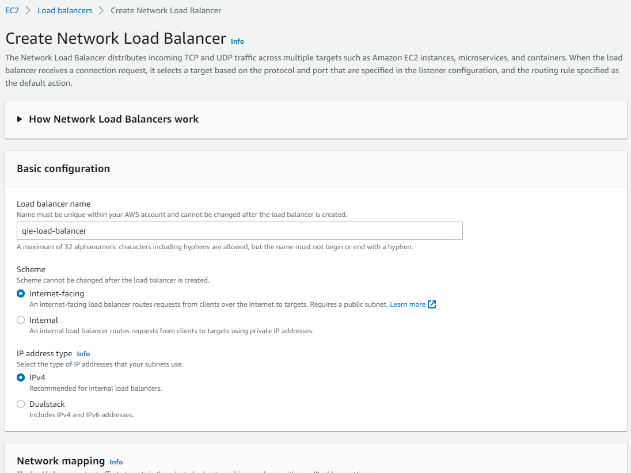
Create Load Balancer
From the EC2 management page, select 'Load Balancers' from the menu on the left. Click on the 'Create Load Balancer' button at the top of the page.
The load balancer type for QIE is the 'Network Load Balancer', because it can route any traffic, not just HTTP or HTTPS traffic. Select the 'Create' button under the 'Network Load Balancer'.
For the name, use 'qie-ecs-lb'. The schema is 'Internet-facing' to allow other systems to call a published IP address from the internet.
Scroll down to the 'Network mapping' section, select the appropriate VPC, which in this example is 'qie-ecs-vpc', then select the mappings for both 'us-east-1a' and 'us-east-1b'.
In the 'Listeners and routing' section, select the 'Protocol' of 'TCP' and set the port to '8443'. Then select the 'qie-secure-8443' from the drop-down menu. Repeat this step for each port that you have defined a target group for. For example, for port 6661, select the 'Add listener' button under the first listener and select the 'Protocol' of 'TCP', then set the port to '6661' and finally select the 'qie-mllp-6661' target group. Once you are done setting up all the listeners, click on 'Create load balancer' at the bottom of the page.
Note
When opening ports after everything is up and running, create a new target group for the desired port, and then edit the listeners in the load balancer after the new target group has been created.