Socket (ASTM) Sender
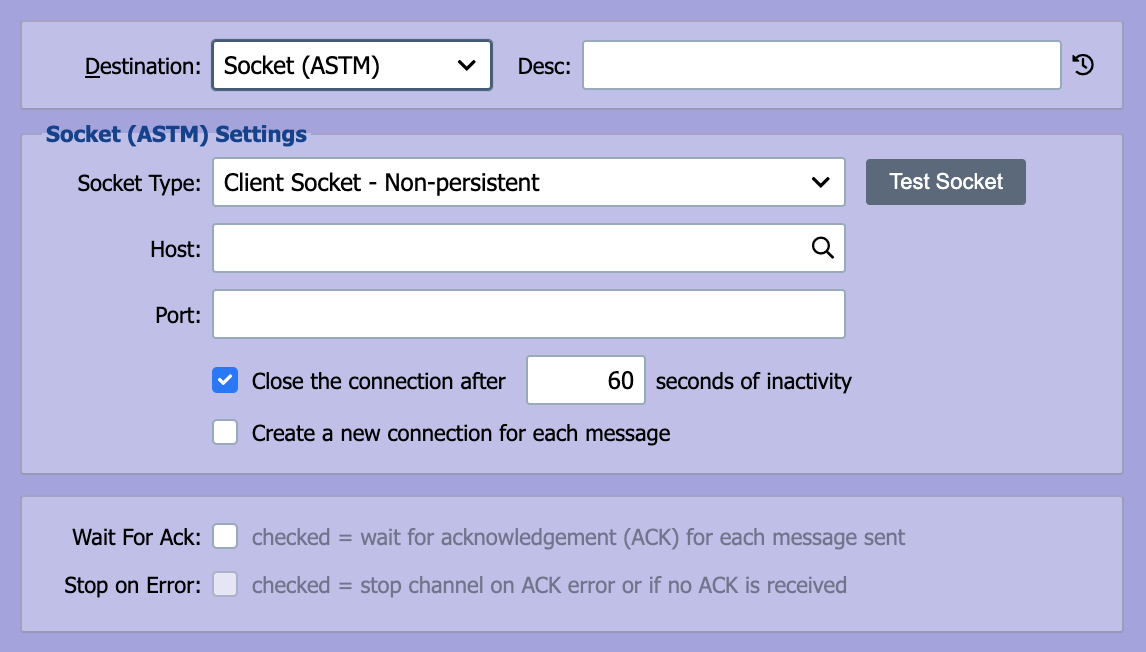
QIE can be configured to connect to another host using a TCP/IP socket on a specified port. The ASTM network protocol utilizes TCP/IP sockets for transmitting ASTM messages.
Message Encoding
The sender transmits each message in the encoding of its message format: the Encoding set on the source node, or on the output message of the mapping that produced it. UTF-8, ISO-8859-1 and windows-1252 are supported, and each frame checksum is calculated over the bytes as sent.
ASTM framing uses single-byte control characters, so a message encoded as UTF-16 cannot be sent. The send fails with the message "ASTM socket sends support single-byte and UTF-8 encodings only, not UTF-16." It is then handled like any other send error: the destination retries it after each pause, and moves it to the error queue only once Error msg after 'XX' consecutive send errors is reached (see Error Management). With the default settings there is no limit, so the message stays in the outbound queue and the messages behind it wait.
Socket Type
QIE can either be configured to listen for connection requests from remote systems (Server Socket) or to establish a connection directly with a remote system (Client Socket). In most cases, the socket sender is configured as a Client Socket.
Host
If the socket type is set to Client Socket, the host that QIE is connecting to is entered here. The host should be entered as either a fully qualified domain name (FQDN) or an IP address.
Port
When acting as a Server Socket, QIE listens on the specified port. When acting as a Client Socket, QIE attempts to establish a connection with the Host on the specified port.
Additional Parameters
The following parameter checkboxes are displayed for the specified Socket Types.
Client Socket
- Close the connection after N seconds of inactivity: specify the number of seconds.
- Create a new connection for each message: closes the connection after each message.
Secure Server/Client Socket
- Trust Policy: Trust All Certificates, Trust Selected Certificates, or Use System Settings.
- Server Cert: Select the certificate QIE presents when acting as the server (Server Socket only). Required only if you are the server in this TLS connection.
- Client Auth: Check the box and select a certificate for QIE to present when the remote side requests client-authenticated (mutual) TLS.
Server certificate vs Client Auth certificate
The Server Cert is what QIE presents to prove its identity to the other side. The Client Auth certificate is what QIE presents only when the remote side requires mutual TLS. Both are public certificates with matching private keys held in QIE. Only the public certificate is ever exchanged. See Certificate Management for how to decide which you need and how to generate or import them.