Database Query
The database query mapping function is used to perform a query for 1 or more values in a database and include the results of the query in the output message. It can be configured as a Standard Query, which embeds values directly in the statement, or a Parameterized Query, which binds them as named parameters.
Parameterized queries are the recommended default. They bind each value with the correct SQL type and remove the escaping pitfalls of embedding values directly in the statement. Use a standard query only when a parameterized query cannot express what you need.
Database
Select the desired database connection from the drop-down list. All database connections in the current scope are listed in the drop-down list (see Database Connection for information on creating and managing database connections). This field applies to both query types.
Query and Parameters
The remaining fields depend on whether the function is configured as a standard or parameterized query.
Parameterized queries are recommended
Use the Parameterized Query option unless a standard query is specifically required.
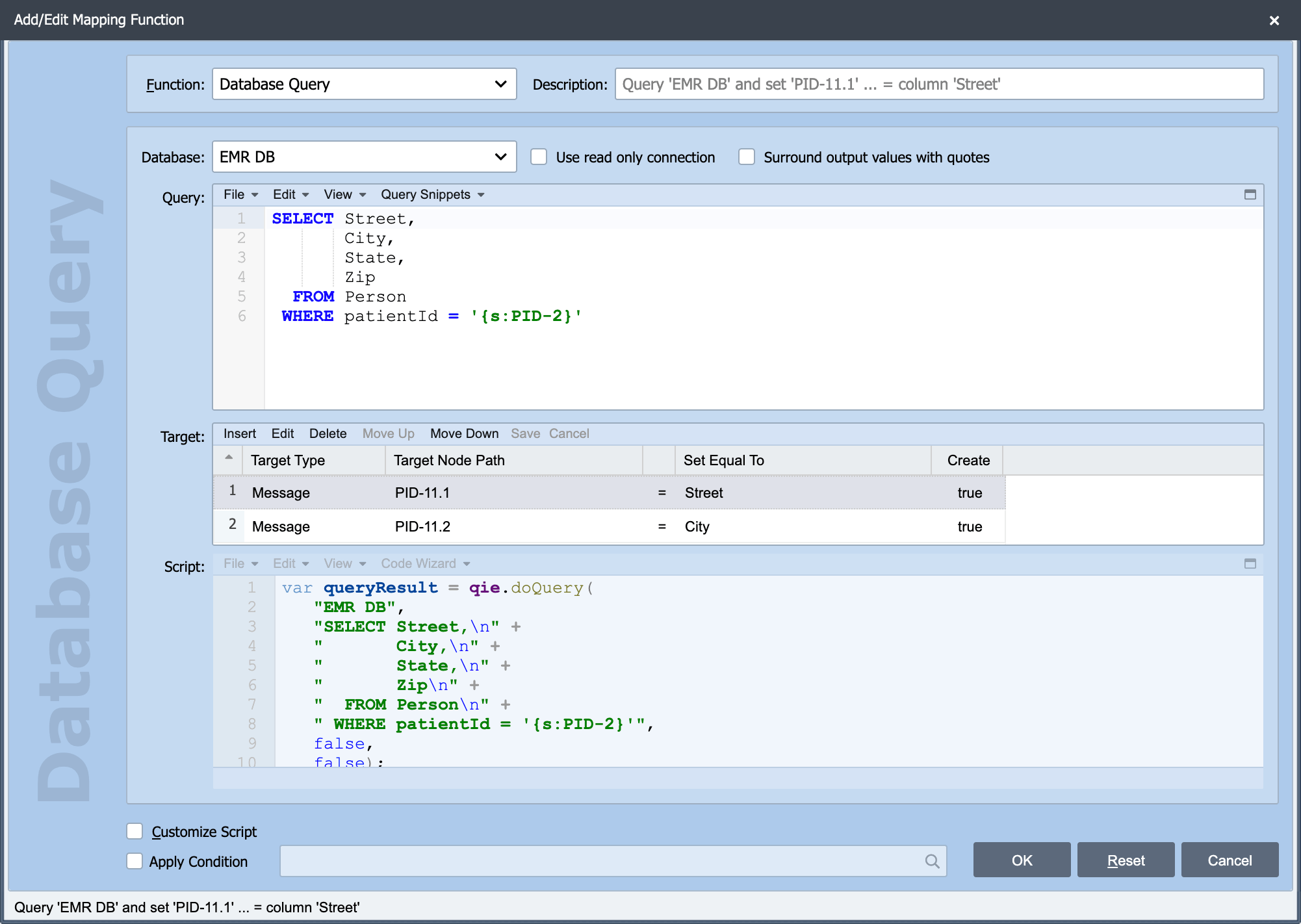
A standard query embeds its values directly in the SQL statement. It is the GUI equivalent of the scripted qie.doQuery function.
The SQL query statement is entered in the Query field and can contain embedded node tags (see Node Paths and Node Tags for more information).
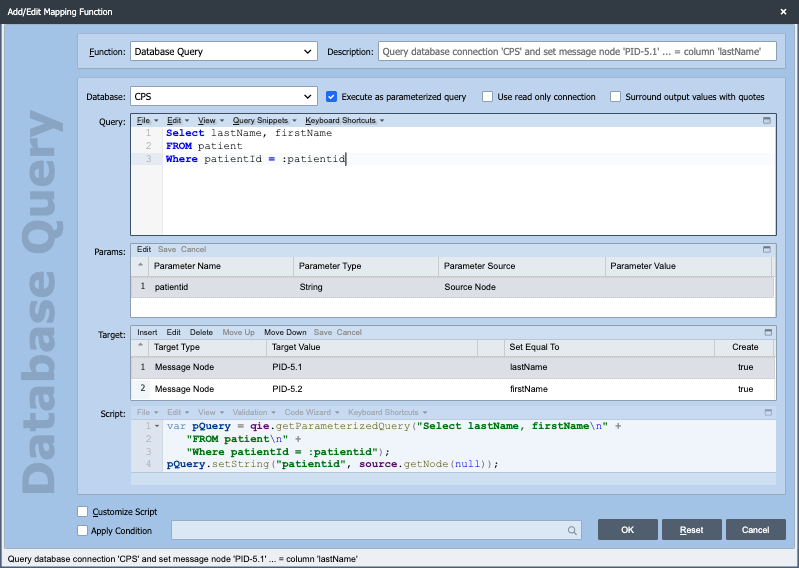
A parameterized query binds its values as named parameters rather than embedding them in the statement. It is the GUI equivalent of the scripted qie.getParameterizedQuery function. Select Execute as parameterized query to switch the function to this mode.
Enter the SQL in the Query field, marking each parameter with a leading colon, as in :mrn and :cutoff. A leading @ (@mrn) is also recognized. The statement can also contain embedded node tags (see Node Paths and Node Tags for more information).
The Params list holds one row per parameter, with the type and value source for each.
Add parameters from the Query field, not the Params list
You cannot add rows to the Params list directly. Type each parameter into the Query field with a : or @ prefix, then tab out of (or leave) the Query field. QIE scans the statement and adds a matching row to the Params list for every parameter it finds.
For each parameter row, set:
- Type: The SQL type the value is bound as: String (the default), Date, Int, Long, Timestamp, and others.
- Source: Where the value comes from, a source or message node path, a node tag, channel or message cache, a system variable, the system date/time, or a constant.
See the Parameterized Database Queries recipe for the equivalent scripted form, the full list of parameter types, and worked examples.