Network Share (SMB)
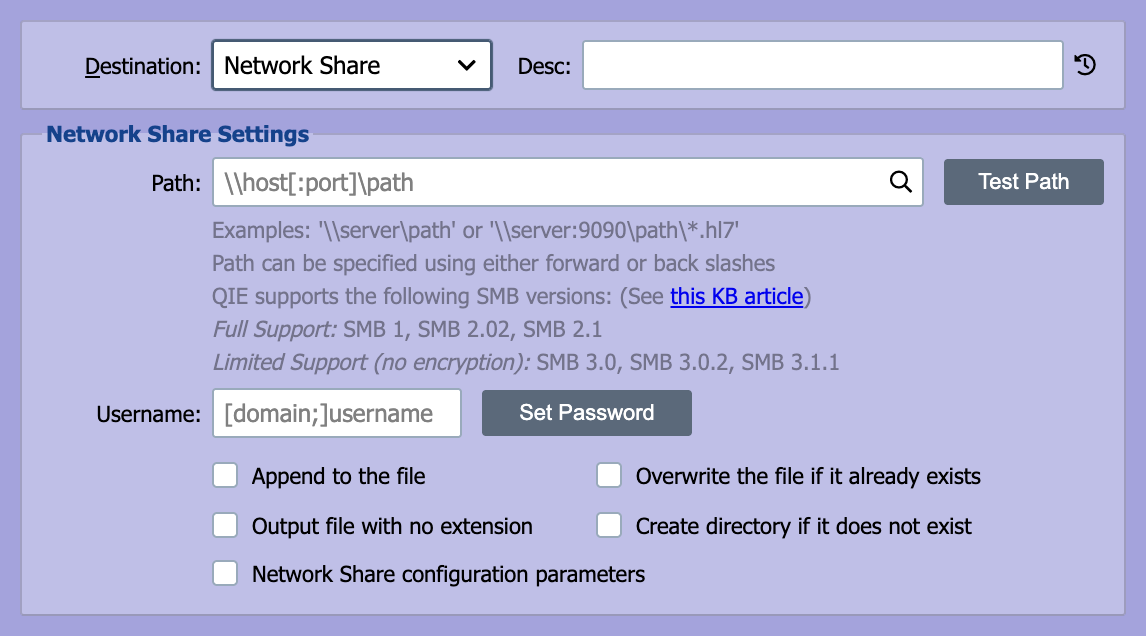
QIE can be configured to save to a network directory. A username and password can be entered if required for access to the network share.
Path
Enter the full path to the network share as:
\server\directoryPath\.hl7.
If a port is required enter the path as: \server:port\directoryPath\.hl7
Note
The path can be entered using forward (/) or back (\) slashes.
Username/Password
Enter a username and password with access to the network share. The username can be entered with a domain if required.
Network Share Configuration Parameters
Selecting this checkbox allows entry of custom parameters for writing to the network share. Parameters are entered as key=value pairs, one per line. QIE uses the jcifs-ng Java library (version 2.1.10) for SMB connections; the parameter names follow the jcifs.smb.client.* namespace defined by jcifs-ng.
A few parameters that come up routinely:
| Parameter | Purpose |
|---|---|
jcifs.smb.client.soTimeout |
Socket read timeout in milliseconds. Increase when a slow server causes writes to hang. |
jcifs.smb.client.connTimeout |
Connection-establishment timeout in milliseconds. |
jcifs.smb.client.responseTimeout |
How long QIE waits for a response from the server before giving up. |
jcifs.smb.client.minVersion / jcifs.smb.client.maxVersion |
Restrict the SMB protocol version negotiated with the server (SMB1, SMB202, SMB210, SMB300, SMB311). Use when a server only supports a specific version. |
jcifs.smb.client.dfs.disabled |
Set to true to disable DFS referral resolution when not needed. |
For the full parameter list, see the jcifs-ng configuration documentation.