CSV Format
A CSV file stores tabular data (numbers and text) in plain-text form organized by rows and columns. CSV is a common, relatively simple file format that is widely supported by consumer, business, and scientific applications.
Header Row
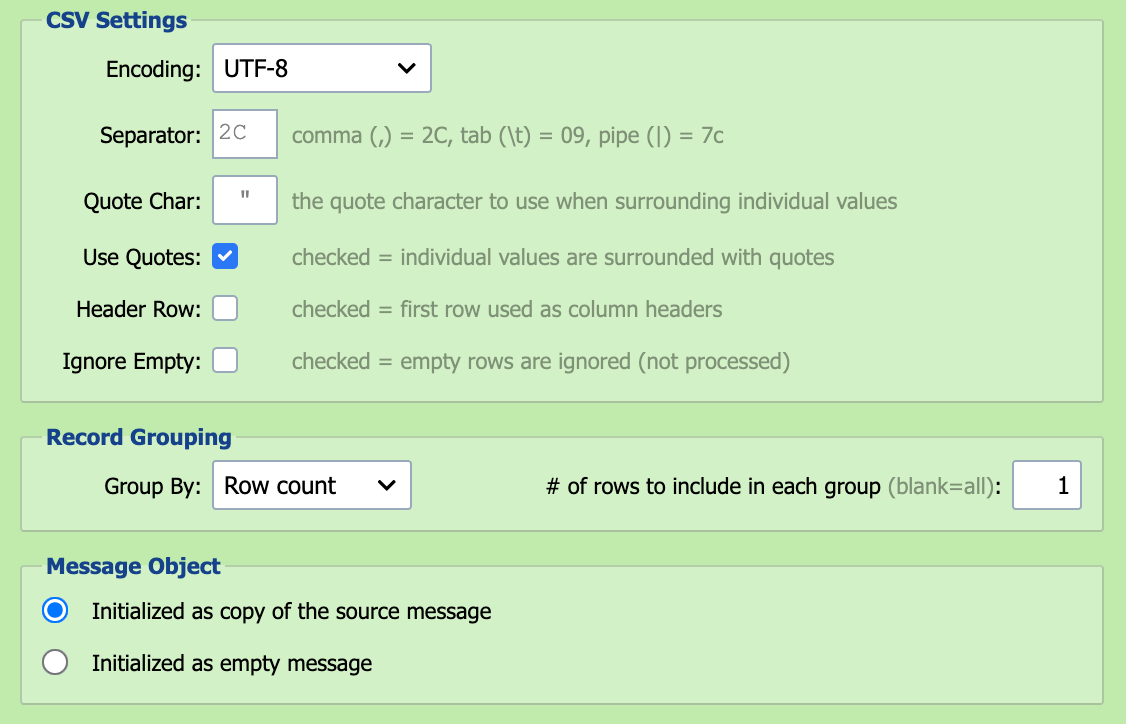
Select this option if the first row of the CSV file being processed contains column headers or titles. Data in a CSV file which contains a header row can be referenced by column titles as well as column numbers.
Scripts read the header row itself with row index 0. See Reading the Header Row.
Use Quotes
Select this option if individual values in the CSV file are surrounded by quotes.
Set this to match the actual format of the incoming CSV, whatever the source. When the sender is another QIE channel, note that qie.parseCSVString and qie.createCSVMessage produce quoted values by default while qie.doSelectQuery produces unquoted values, so pass an explicit quoteValues argument on the emitter side to force one or the other.
Quote Character (Char)
If individual values are surrounded by quotes, the quote character must be specified. The default quote character is a double-quote (").
Separator
Values in a CSV file are typically separated by a comma but other separators are sometimes used (e.g. semicolon or tab). Enter the separator as a hex value. The field's placeholder 2C is the default (comma). Other common values:
| Separator | Hex |
|---|---|
Comma , |
2C |
Semicolon ; |
3B |
| Tab | 09 |
Pipe \| |
7C |
Ignore Empty
When processing CSV files, QIE can be configured to ignore empty rows in the file.
Record Grouping
QIE can be configured to group records in a CSV file based on either column values or row counts. When using the 'Column Value' option, QIE continues adding rows to the current message until it encounters a change in value for the specified column. When using the 'Row Count' option, QIE groups the specified number of rows together into a single message. The most common configuration is to treat each row as an individual message.