Regex Evaluator
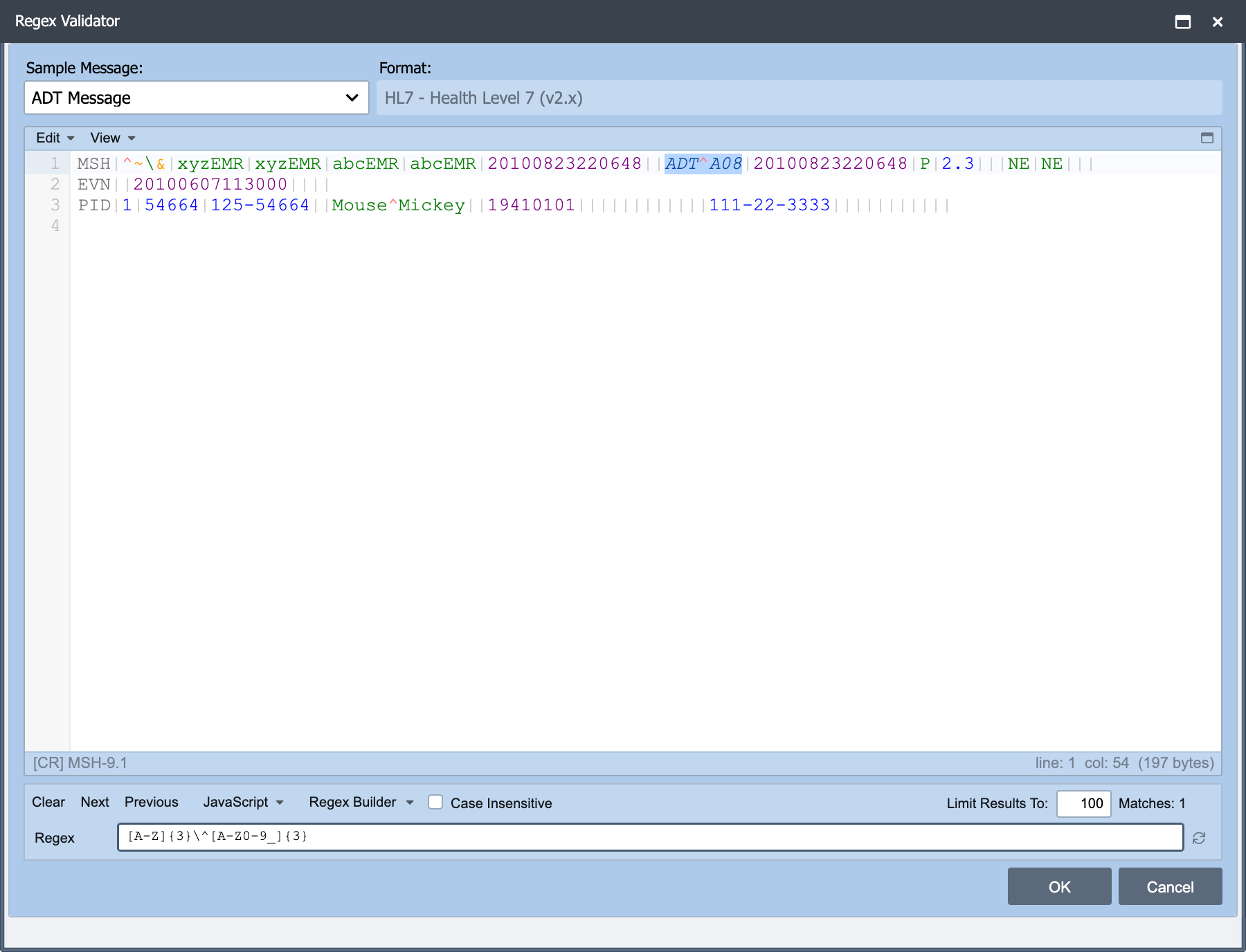
Regular Expressions can be manually entered or created using the RegEx Validator Dialog. The RegEx Validator Dialog is accessed from the View menu of the Script Editor. It can also be accessed using the hot key F4.
The RegEx Validator Dialog uses the Sample Messages which have been associated with the Channel. The dialog helps build the expression by highlighting matches from the sample message.
For example, the expression for representing lower case characters is [a-z] and the expression for representing numbers is [0-9]. These expressions can then be joined together to represent a word that is followed by some numbers like [a-z][0-9]. Let's now explore in more detail the available expressions and some examples on how to join them
together to search for data.
Expression Description
[A-M] Any sequential uppercase character between A and M.
[0-9] or \d Any digit.
{#} Indicates the required # of characters of the previous type. (Ex. [A-Z]{3} means that there are 3 uppercase letters in a row.[1-9]{3} means 3 numbers in a row).
\w or [A-Za-z0-9_] Any word character.
+ Similar to the {#} but means that there are one or more of the previous type.
^ Indicates that the pattern being searched for is at the beginning of a line.
\$ Indicates that the pattern being searched for is at the end of a line.
Example
The message below is used with the Regular Expression (RegEx) examples that follow:
|
Description |
|---|---|
| [A-Z]{2}-[0-9]{3}-[0-9]{3} | Returns the pattern 2 uppercase letters a dash and then 3 numbers another dash and then 3 more numbers. In this case it returns `MR-000-002` |
| LinkLogic-TEST | Returns the literal `LinkLogic-TEST` |
| [\w]{9}-[A-Z]{4} | Returns the pattern of 9 characters a dash and then 4 uppercase letters. In this case it returns `LinkLogic-TEST` |
| ^[A-Z]{3}| | Returns the pattern of 3 uppercase letters at the first of the line followed by a | (pipe). In this case it returns both `MSH|` and `PID|` |
| \^[\w\s]{4} | Returns the pattern of ^ (this is because the special character has been escaped out with a back-slash) and then 4 word-characters or white-space. In this case it would return `^E IM` from line one and `^E IM` from line 3. |