Email Settings
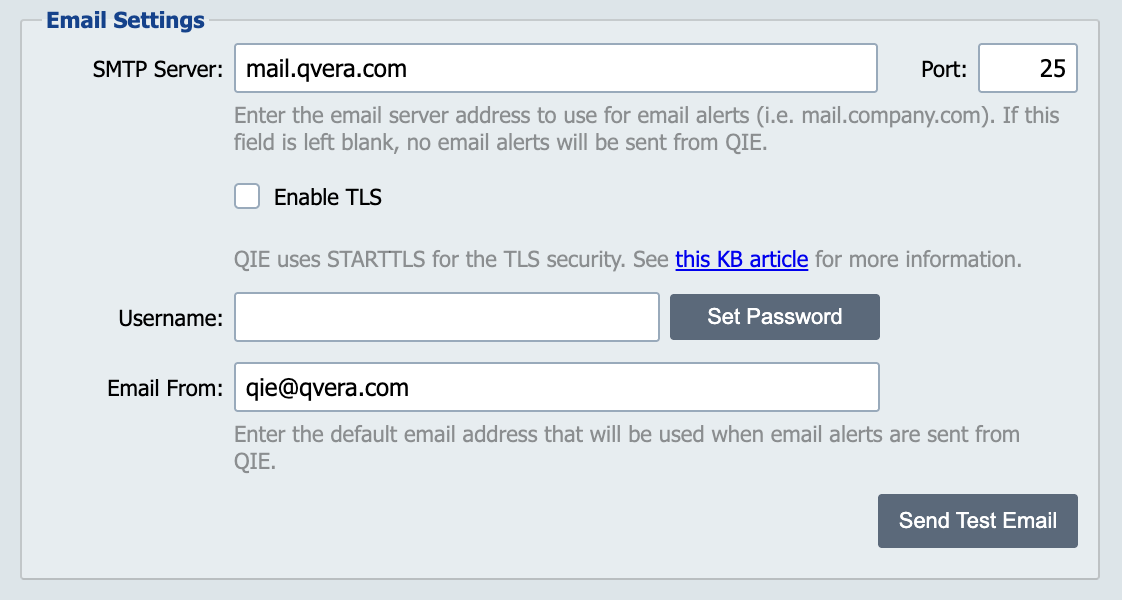
In order for QIE to send email alerts an SMTP server must be configured.
Restart QIE after changing Email Settings
QIE loads these settings when it starts. After you save a change, restart QIE before relying on email alerts or on qie.sendEmail() in channel scripts. Send Test Email uses the values on this page directly, so a successful test does not confirm that running channels have picked up the change.
SMTP Server
The name or IP-address associated with the SMTP server.
Port
The port used by the SMTP server for sending outbound email (default = port 25).
Enable TLS
Enable TLS (Transport Layer Security) when communicating with the SMTP server.
Username and Password
The username and password are optional settings which may or may not be required depending on the configuration of the SMTP server.
Troubleshooting SMTP authentication failures
If QIE logs javax.mail.AuthenticationFailedException when sending alerts, work through these in order:
- Verify the username and password against the SMTP server directly using another mail client or a manual
openssl s_clientsession. - Confirm whether the server requires TLS and whether the Enable TLS option here matches.
- Check whether the SMTP server restricts senders by IP address. QIE's outbound IP may not be on the allowlist.
- For relay-mode SMTP servers (Postfix, Exchange relays), confirm that relay is enabled for QIE's IP and that anonymous-relay is not required when authentication is also presented.
- Gmail / Google Workspace requires an App Password for SMTP. The user's normal account password fails with this exception. Generate an App Password for "Mail" and use it in the Password field above.
Common SMTP providers
All three providers below use STARTTLS on port 587. QIE's Enable TLS option sets mail.smtp.starttls.enable=true. Implicit TLS on port 465 (smtps) is not supported by QIE.
- Amazon SES. SMTP Server:
email-smtp.<region>.amazonaws.com(e.g.email-smtp.us-east-1.amazonaws.com); Port:587; Enable TLS checked; Username and Password are the SMTP credentials generated from the SES console, not the IAM access-key ID/secret. Verify the Email From address (or its domain) is verified in SES; unverified senders are rejected. - Gmail / Google Workspace. SMTP Server:
smtp.gmail.com; Port:587; Enable TLS checked; Password must be an App Password generated for "Mail". The account's normal password will fail (see the troubleshooting note above). - Microsoft 365. SMTP Server:
smtp.office365.com; Port:587; Enable TLS checked; the account may require SMTP AUTH to be enabled by the tenant administrator (it is disabled by default on new tenants).
Email From
This field defines the email "From" address which is used when alerts are sent from QIE to end users.
Daily Count Emails
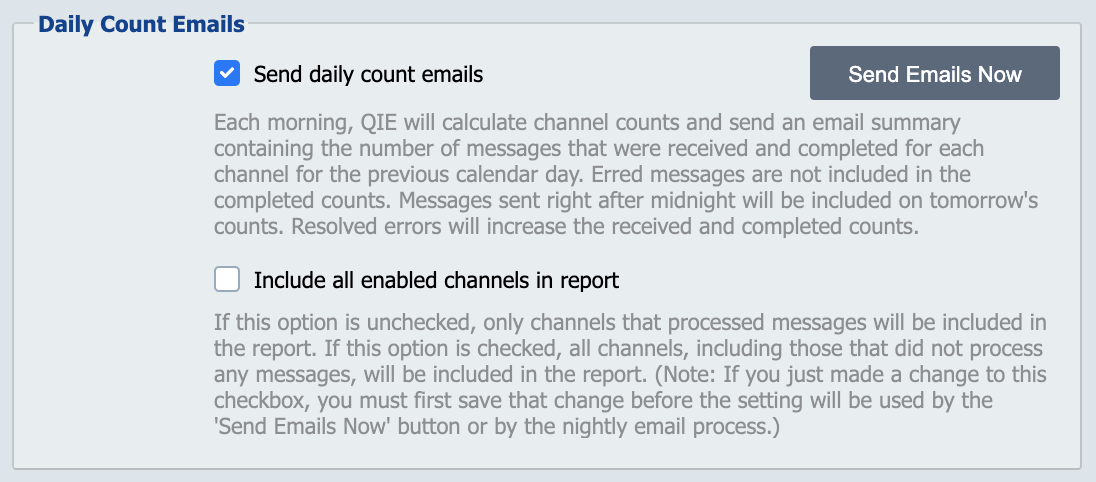
QIE automatically calculates the number of messages received, completed and errored. The report provides a grand total across all zones and channels and includes a breakdown at zone and channel levels.
Send Daily Count Emails: If checked, QIE sends daily count emails at the end of the day. Recipients:
- All-zones summary: every active user with the System Administrator privilege and a configured email address on their user account.
- Per-zone counts: every non-administrator user who has the Alert permission on the zone owning the counted channels and a configured email address.
Users without an email address, or without the Administrator privilege or Alert zone permission, are not sent the daily count email.
Include all enabled channels in report: If checked, all channels are included in the daily count email, even those that did not process any messages.
Send Emails Now: Click this button to send the daily count email immediately.