Web Service Connections
A Web Service Connection defines how QIE reaches an external HTTP-based service. Once defined, the same connection can be used by:
- The Web Service Sender to submit messages to a REST, SOAP, Google Cloud Healthcare API, or DICOMweb endpoint.
- Mapping scripts that call out to a web service mid-processing.
The connection holds the endpoint URL, authentication settings, TLS/certificate configuration, and (for SOAP) the WSDL.
QIE tracks the revision history of changes made to a web service connection. Click the history icon on the panel menu bar to view who changed what and when. See Revision History for details.
Managing Web Service Connections
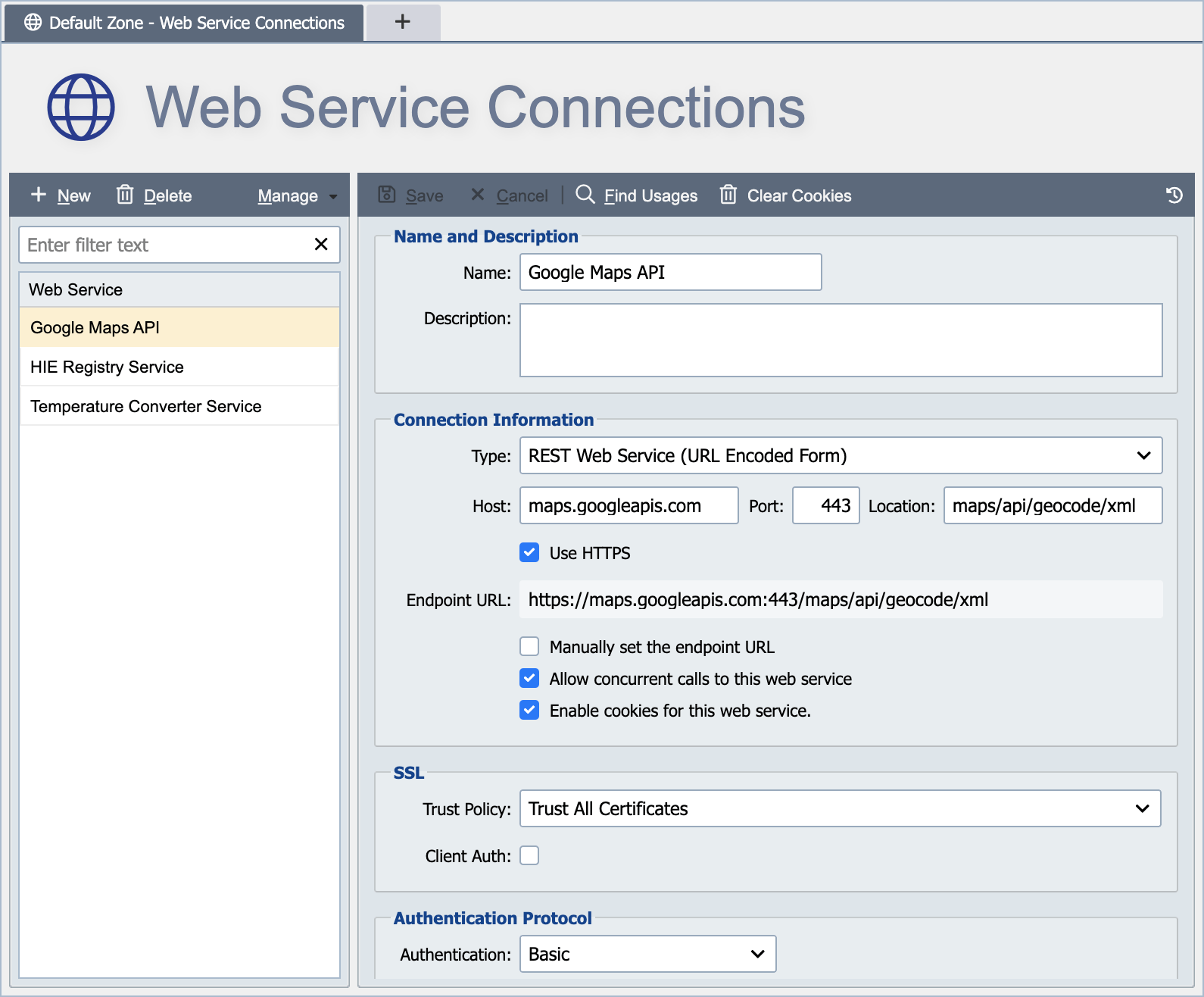
Web service connections are created and managed from the Web Service Connections Page. Web service connections are defined at either the global level or the zone level (see Global vs. Zone Scope for more information).
The dialog adapts to the connection type selected in the Type drop-down. Fields not relevant to the selected type are hidden. The sections below describe every field that may appear, grouped by the dialog's fieldsets.
Name and Description
Name
The name associated with the web service connection identifies the connection for use in mapping functions and other related channel activities. The name must be unique within the applicable scope. For example, a connection created at the global level must have a globally unique name. A globally unique name is unique within the global connections and across all zone level connections. A connection created at the zone level must have a name unique to that zone and all global connections.
Description
The description is only visible from the web service connections page and can be used to provide additional information about the connection and how it is used.
Convert HTTP header names to lowercase
When checked, QIE forces all HTTP header names sent on this connection to lowercase. Use this for endpoints that require lowercase header names (some HTTP/2 implementations, for example). Default is unchecked.
Reference pages
- Supported Connection Types lists the connection types QIE offers and what each one is for.
- Connection Information covers the endpoint, method, headers, timeouts, and the per-type fields.
- SSL covers transport security and the TLS certificates the connection presents or trusts.
- Authentication Protocol covers Basic, OAuth 2.0, AWS Signature and the rest, including refresh tokens and Google Cloud Healthcare API authentication.
- AWS Signature Authentication covers signing requests to AWS services such as AWS HealthLake.
- Troubleshooting OAuth2 Token Retrieval covers what to check when a token request fails or a working token stops working.