Substring
Substring copies part of a value by character position. It is the usual tool for pulling a fixed-width component out of a value that arrives as one string, the first three characters of an account number, or the date portion of a timestamp that has no delimiter.
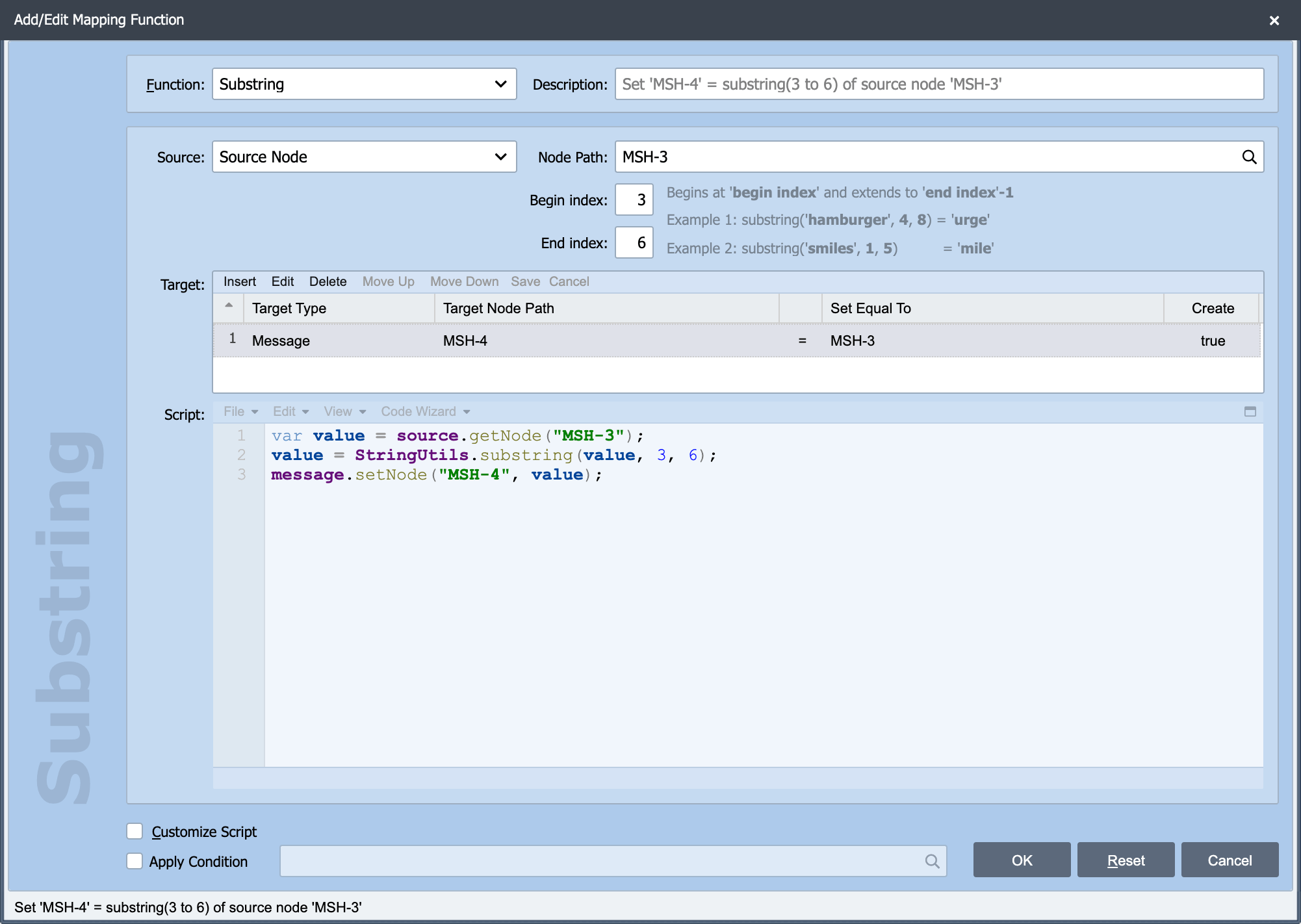
Substring is one of the built-in mapping functions on the Add/Edit Mapping Function dialog. The Source, Node Path, Target, Apply Condition and Customize Script settings behave the same way for every function. See Working with Mapping Functions for those. The two settings specific to Substring are described here.
Begin index
Begin index: The position to start copying from. Positions count from zero, so 0 is the first character. The begin index is inclusive, the character at that position is included in the result.
End index
End index: The position to stop copying at. The end index is exclusive, the character at that position is not included in the result.
Leaving End index blank copies from the begin index to the end of the value, however long it turns out to be. That is the right choice for "everything after the prefix", and it avoids having to guess a maximum length.
Working out the indexes
For the value 20260806120000:
| Begin | End | Result | What it is |
|---|---|---|---|
| 0 | 8 | 20260806 |
the date |
| 8 | 14 | 120000 |
the time |
| 8 | (blank) | 120000 |
the time, without needing to know the length |
| 0 | 4 | 2026 |
the year |
Because End is exclusive and Begin is inclusive, the number of characters returned is simply End minus Begin, so 0 to 8 gives eight characters.
The generated script
With End index left blank, the second form is generated instead:
Note
StringUtils.substring does not throw when the indexes run past the end of the value, a short value simply yields a shorter result, and a begin index beyond the end yields an empty string. That is usually what you want for messages with variable-length fields, but it does mean a mapping quietly produces an empty value rather than an error when the input is shorter than expected. Where an empty result would be wrong, use Apply Condition to check the length first.