RDS Database
All nodes in the QIE cluster are configured to use the same database. This allows them to run as a single unit as opposed to multiple individual QIE instances. This guide sets up an Amazon Aurora MySQL compatible serverless database. You may use any database configuration you want as long as it is a MSSQL, MySQL, or MariaDB database.
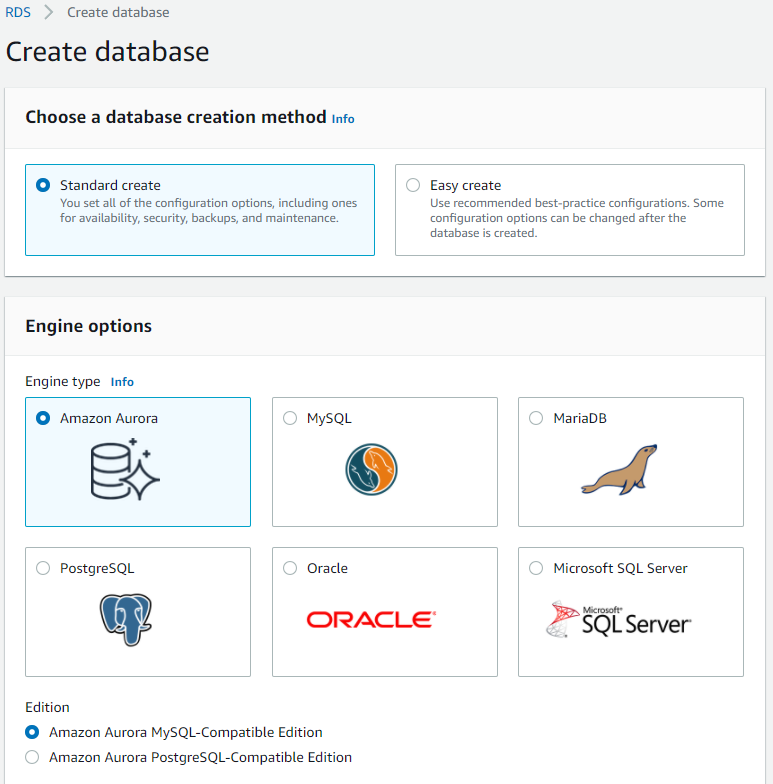
Create New Database
Navigate to the Amazon RDS management page. Select the 'Databases' option on the left menu. Click the 'Create database' button.
On the 'Create database' page, use the 'Standard create' option, and the 'Amazon Aurora' engine option. Select the 'Amazon Aurora MySQL-Compatible Edition'. The 'Capacity type' is 'Serverless' with the version as 'Aurora (MySQL)-5.6.10a'.
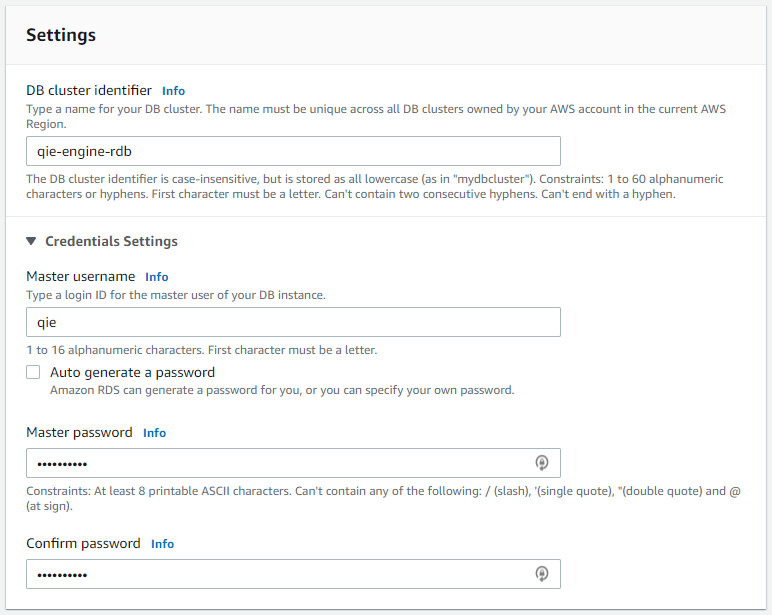
In the Settings section, set the 'DB cluster identifier' to 'qie-ecs-rdb'. The master username can be left as the default 'admin' or can be set to your own value. In this case I have changed it to 'qie'. Set and remember the new master password for this database because it is required when setting up the secret later.
The 'Capacity settings' can be set to whatever you would like. This allows you to scale the DB based on usage. For now, set this to '1 ACU/2GiB RAM' as the minimum capacity and '4 ACU/8GiB RAM' as the maximum capacity.
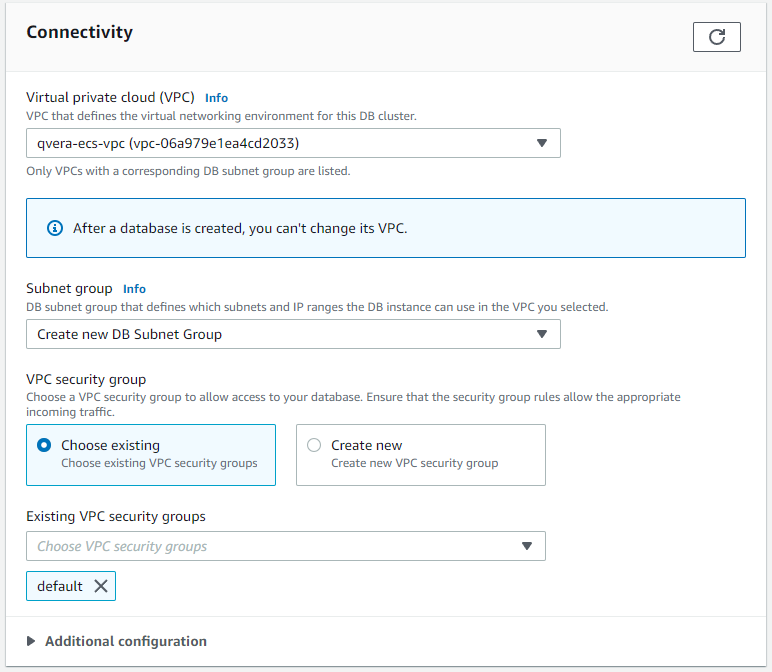
The 'Connectivity' section is where the new VPC is bound in. From the 'Virtual private cloud (VPC)' drop-down, select the 'qie-ecs-vpc'. Leave the 'Subnet group' at 'Create new DB Subnet Group'. Under the VPC security group, select 'Choose existing' and make sure your 'default' security group is selected.
Expand the 'Additional configuration' options at the bottom of the 'Connectivity' section and select the 'Data API' check box.
Select the 'Create database' button at the bottom of the page.
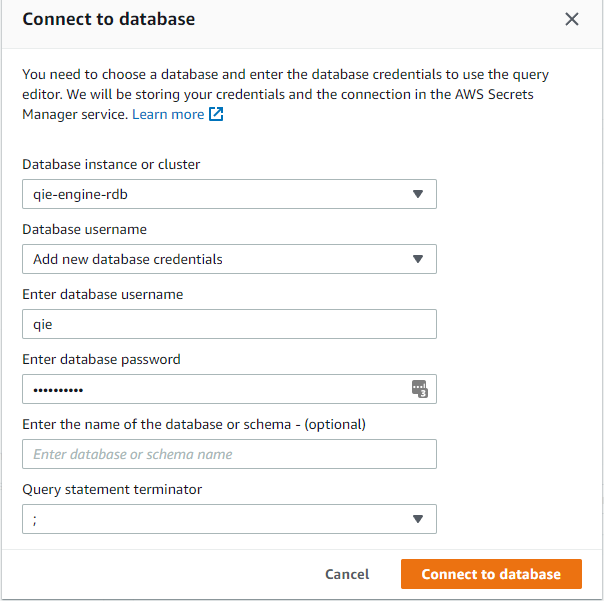
Create New Schema
You may have to wait a few minutes for the database to be created. Once the status changes from 'Creating' to 'Available', select the 'Query Editor' from the menu on the left side of the screen.
Select the 'qie-ecs-rdb' from the drop-down menu, then select 'Add new database credentials' for the 'Database username'. Enter 'qie' as the username (or the master user that you defined in the database) and enter the master password that was used to setup the database. Now select the 'Connect to database' button.
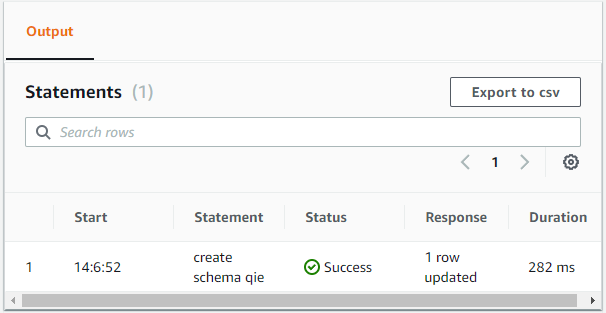
In the editor type 'create schema qie' and click on the 'Run' button. Make sure that the execution of the statement worked by validating that the statement status in the 'Output' section is 'Success'.