Search & Replace
Search & Replace substitutes text inside a value. Use it to strip characters a receiving system rejects, normalize a separator, or blank out a value that arrives as a placeholder such as UNKNOWN.
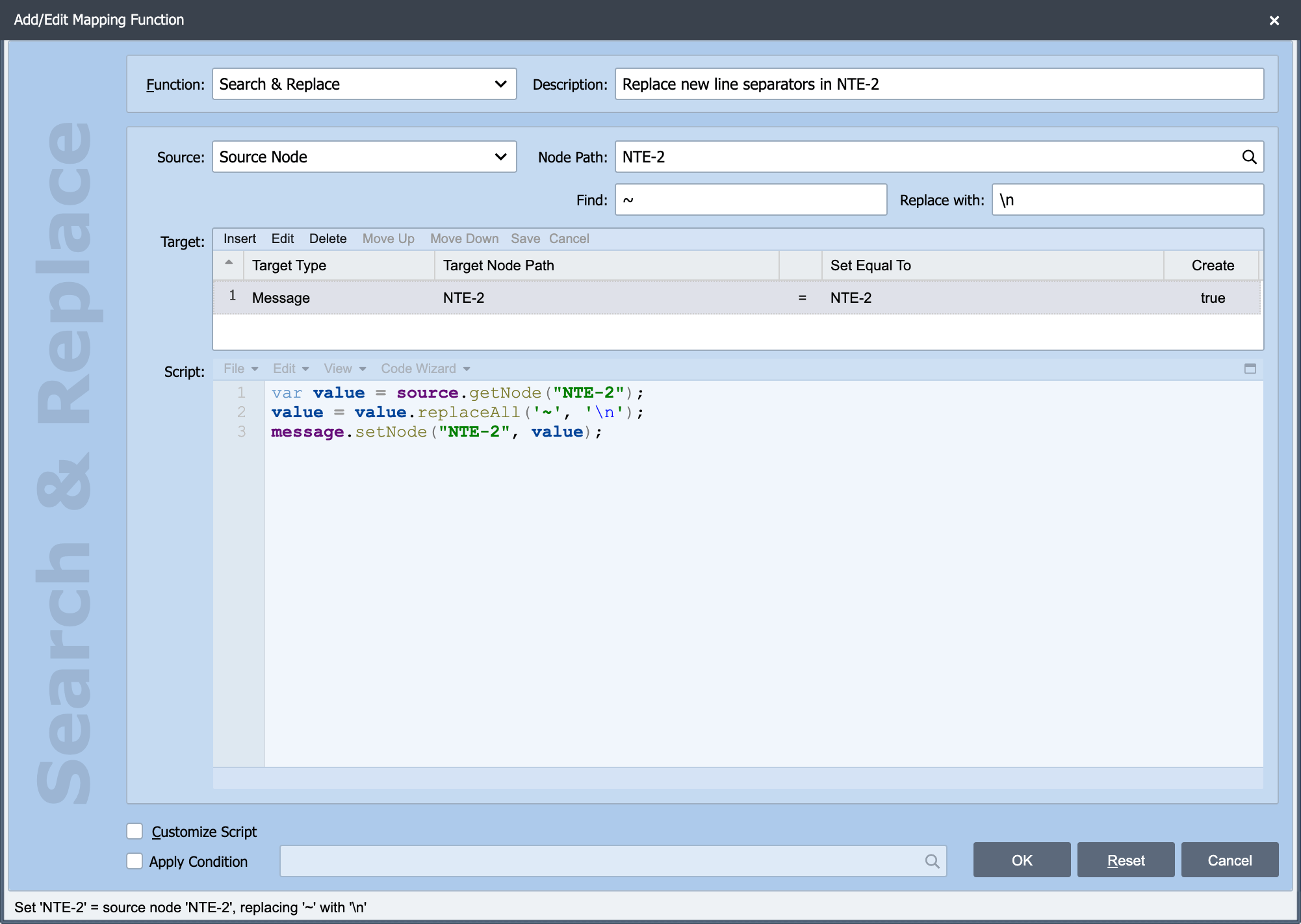
Search & Replace is one of the built-in mapping functions on the Add/Edit Mapping Function dialog. The Source, Node Path, Target, Apply Condition and Customize Script settings behave the same way for every function. See Working with Mapping Functions for those. The two settings specific to Search & Replace are described here.
Find
Find: The text to search for. Every occurrence is replaced, not just the first.
Find is a regular expression, not literal text
The Find value is used as a regular expression pattern. That is deliberate and useful (it means you can match a class of values rather than one exact string) but it also means the regex metacharacters do not mean themselves. To match a literal ., *, (, ), [, ], ?, +, ^, $ or |, escape it with two backslashes, such as \\. for a full stop, and write \\\\ to match one backslash.
Two backslashes are needed because the Find value is placed inside a quoted string in the generated script, which removes one backslash before the pattern is used. Searching for ., or for \. with one backslash, matches every character in the value and replaces all of them. Searching for \\. matches a full stop. The same applies to a shorthand class: write \\s for whitespace and \\d for a digit.
Replace with
Replace with: The text to substitute in. Leave it empty to delete what Find matched. That is how you strip unwanted characters rather than swapping them.
Examples
| Goal | Find | Replace with |
|---|---|---|
| Remove hyphens from a phone number | - |
(empty) |
| Remove every non-digit | [^0-9] |
(empty) |
| Replace a literal full stop with a space | \\. |
|
| Collapse runs of whitespace to one space | \\s+ |
|
| Blank out a placeholder value | ^UNKNOWN$ |
(empty) |
The generated script
The Find value goes between the quotes as it is typed, so for the full stop example above the script reads:
Because the function generates a replaceAll call, the pattern follows the regular expression syntax of the underlying Java string implementation rather than JavaScript's. In practice the common patterns above behave identically in both; where a pattern uses more exotic syntax, test it with the Regex Evaluator before relying on it.