Sample Messages
Sample messages are stored on the source node and drive the Node Lookup dialog and channel testing. A refresh script can repopulate them from a live source.
Sample Messages
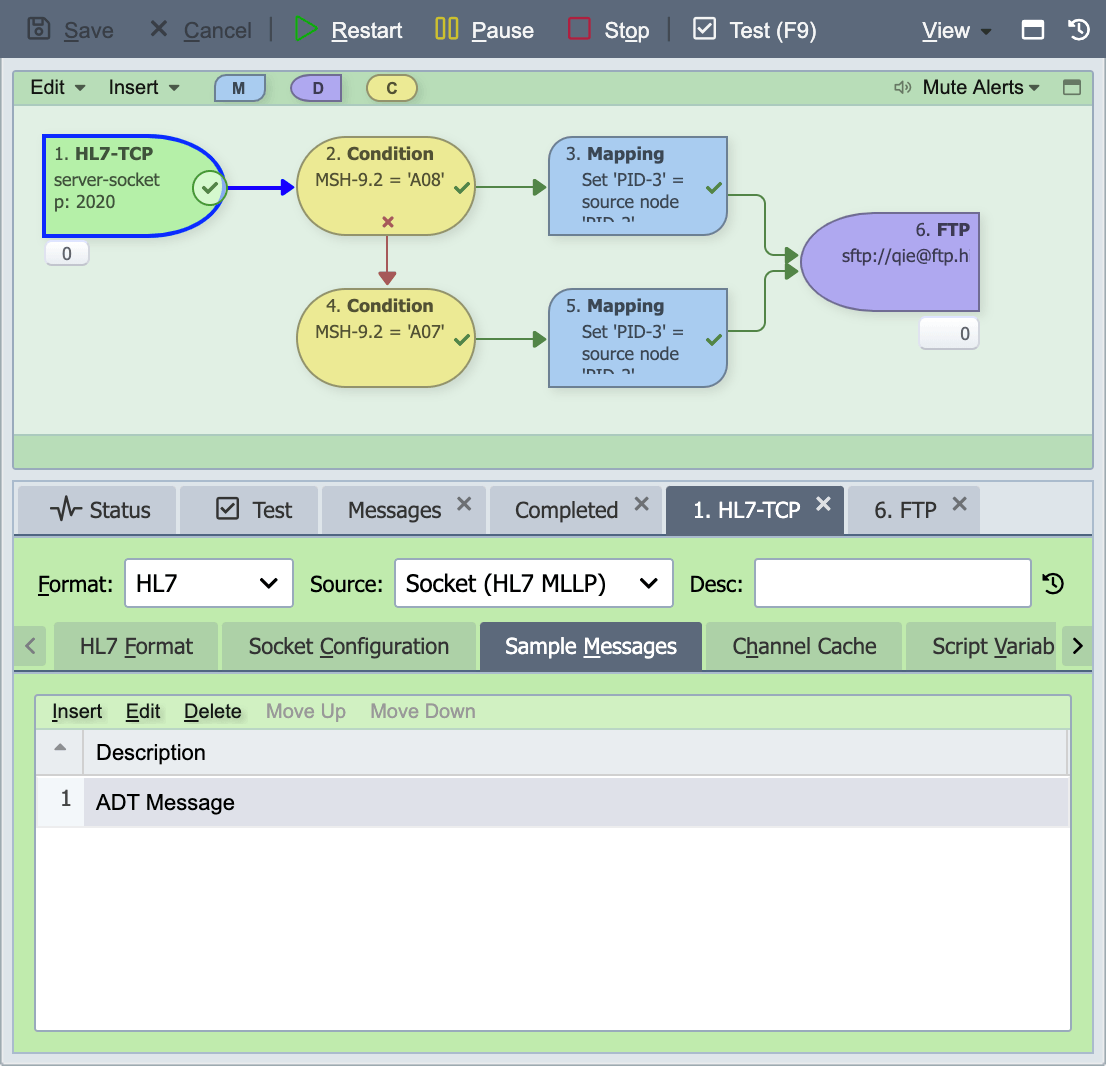
One or more sample messages can be associated with a channel configuration. Sample messages are used when testing channels or using the Node Lookup Dialog. The sample message list associated with a channel can be accessed by selecting the channel source node in the Visual Channel Editor and then selecting the Sample Messages tab in the source node editor panel displayed below the Visual Channel Editor.
Sample Message Dialog
The sample message dialog is used to import, export and edit sample messages associated with a channel. The sample message dialog can be accessed by selecting an existing sample message from the Sample Messages tab or by selecting Insert from the sample messages list editor.
Origin
A sample added through the MCP server records its origin: the user who submitted it, the AI client it came through, and when. The origin shows in the channel's revision history. A sample added in the console has no origin, and changing a sample's body in the console clears it. See Sample Message Origin.
Sample Message Refresh Script
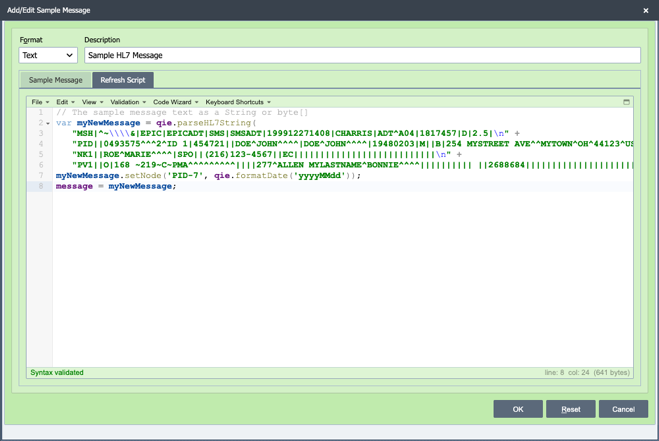
The Sample Message Refresh Script feature allows users to update sample messages with current or dynamic data. In QIE, sample messages are typically loaded manually on the Source Node by pasting a message from the clipboard or by using the File Import option. Over time, these messages may contain outdated information such as dates or other time-sensitive values. Updating them manually can be time-consuming, especially when multiple sample messages are used. The Refresh Script allows a user to write a custom script on the Sample Message tab that modifies the message before it is used. The script can call web services, run database queries, or access System Node Tags to retrieve values such as the current date and time or other QIE system information. The refresh script can be triggered to run from both the Sample Messages dialog and from the Test Window. After the script updates the message, QIE replaces the current sample message with the returned result. The returned message must be a String, and the final line of the script should assign the updated message to the message variable, for example: message = myNewSampleMessage where myNewSampleMessage contains the refreshed sample message.
Format
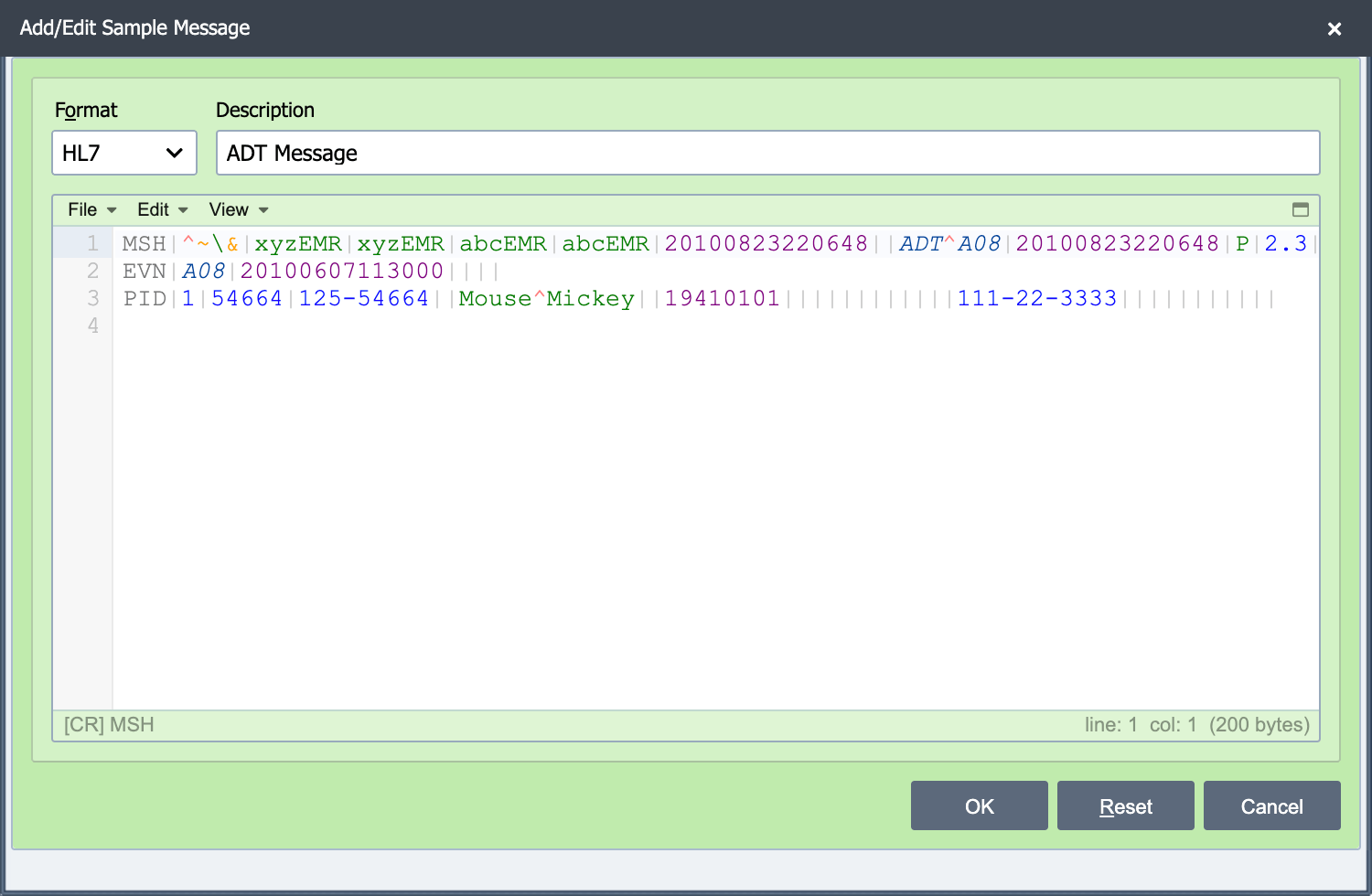
Selecting the correct format associated with the sample message ensures that the message is displayed correctly and enables advanced editor features available with some message formats such as the ability to search for an HL7 field using the field identifier (PID-5) instead of the text in the field.
Description
The description associated with a sample message is used to identify the sample message when displayed in drop-down lists and sample message lists.