Web Services
The Web Service mapping function calls an external web service from inside a mapping node, either to send data out, or to fetch a value the rest of the mapping needs. Use it when a channel has to enrich a message mid-flight: looking up an identifier in a registry, or posting a document and capturing the returned id.
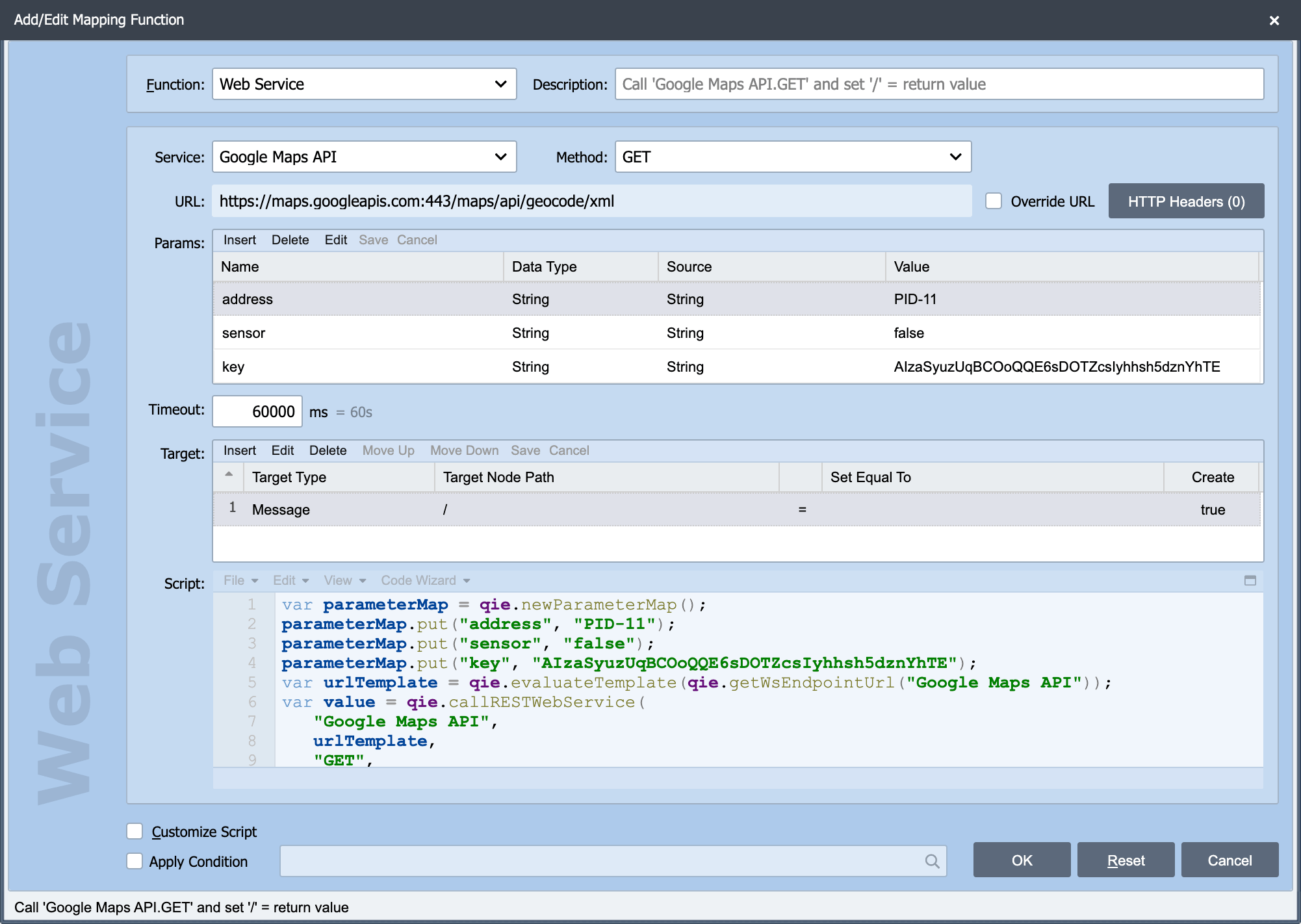
The Web Service function sits on the Add/Edit Mapping Function dialog. The shared Source, Node Path, Target, Apply Condition and Customize Script settings are described in Working with Mapping Functions.
Note
Calling a web service from a mapping node makes the message wait for the response. A slow or unreachable endpoint holds up that message and, at volume, the channel behind it. Where the call does not have to happen before the message is sent, a Web Service destination is usually the better shape.
Service
Service: The web service connection to call, chosen from a drop-down of every connection in scope, the channel's own zone plus the Global Zone. Connections are defined once and reused; see Web Service Connections for creating and managing them.
Choosing the connection is what determines the rest of the dialog. Everything below the Service field is specific to the connection's type, because a SOAP call and a URL-encoded REST call need different things.
The function follows the connection type
| Web Service Function Type | Associated Connection Types |
|---|---|
| Google Cloud Healthcare API | Google Cloud Healthcare API |
| REST Web Service (Content Encoded) | REST Web Service (Content Encoded) |
| REST Web Service (URL Encoded) | REST Web Service (URL Encoded) |
| SOAP Web Service | SOAP Web Service, IHE Web Service Profiles, QIE Web Service (Deprecated) |
If the dialog is not showing the fields you expect, the connection is a different type than you assumed. Check it on the Web Service Connections page rather than looking for the missing field.
Using the response
The service's response is available to the mapping functions that follow, so a lookup call is normally followed by mappings that read the returned value into the output message. For working through a REST response in detail (including reading its headers and status) see REST Web Services and Reading REST Response Headers.
Tip
Test the connection itself before wiring it into a mapping. A web service connection has its own test action, and an authentication or TLS problem is far easier to read there than as a failed message in the error queue. See Troubleshooting OAuth2 Token Retrieval and Troubleshooting TLS Handshake Failures.