Custom Script Sender
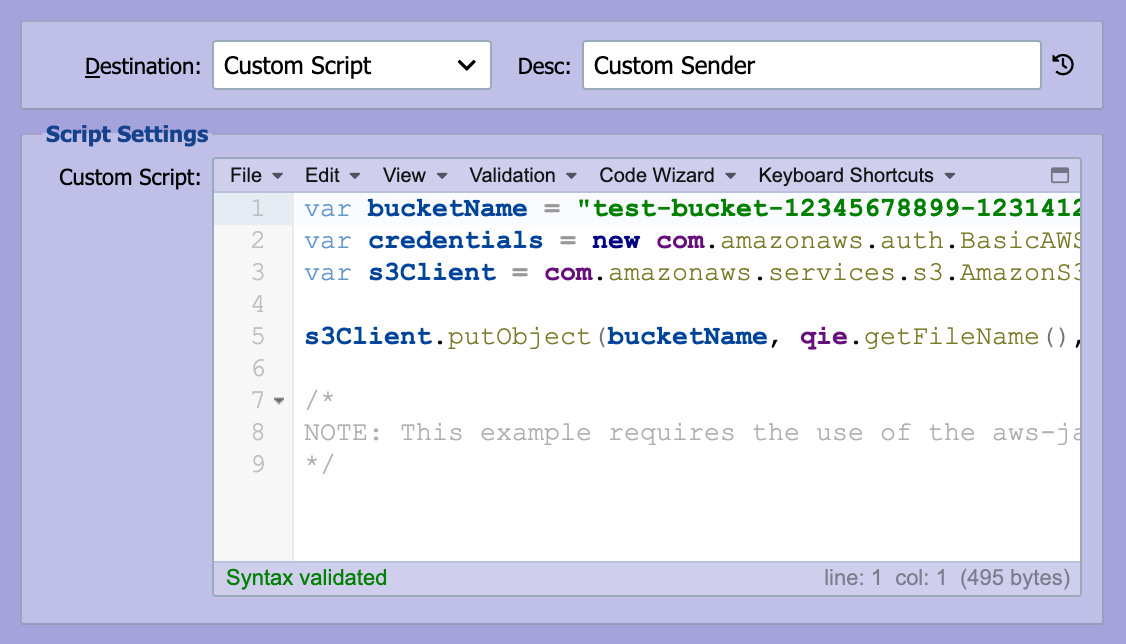
A custom script sender is used to transmit outbound data when an integration requires protocols, mechanisms, or processing behavior that are not natively supported within QIE. Using custom scripting, developers can implement non-native protocols and libraries (such as leveraging AWS Java SDKs to send data to an S3 bucket) or define other specialized destination logic. The custom script provides full control over outbound message handling and delivery behavior, enabling fully specialized integrations tailored to specific requirements. In addition to transport functionality, custom scripts can incorporate advanced capabilities including custom error handling, retry logic, email notifications, logging, and other integration-specific processing as required.
Description
This field is used to describe the custom script and is displayed in the mapping node on the visual channel editor.
Custom Script
The custom script to be executed is entered here (see Creating Custom Scripts).
Error Handling
The custom script is responsible for delivering the message, so it also determines how a delivery problem is handled:
message.error(msg)sends the message immediately to the error queue, regardless of the destination's Error Management send-error settings. Use it when the failure is permanent and retrying does not help, for example, the endpoint rejected the message. This is the same behaviormessage.error(msg)has in a mapping node.qie.simulateSendError(msg)treats the attempt as a failed send and retries it. After the destination's Error msg after XXX consecutive send errors threshold the message is sent to the error queue, and after Stop after XXX consecutive send errors the channel is stopped as well (see Error Management). Use it for transient failures such as a network blip or a temporarily unavailable endpoint.- Any other uncaught error: a bare
throw, or an exception raised by a Java call the script makes, is also treated as a failed send and is retried and throttled by the same Error Management settings.
Destination Notes
Destination Notes have been added to allow end users to record pertinent information about the custom script used to send messages.
Common Destination Fields
The Custom Script Sender uses Error Management and Endpoint Id from the Common Destination Fields. Throttle this destination and Hold Messages in Outbound Queue do not apply to this sender.