Generating Management API Token
All calls to the Management API must use a token to identify the user making the request. This token is passed as an http header named apiToken. Once the Management API has been enabled, then administrative users can enable the Management API and generate an apiToken. Non-Administrative users cannot use the Management API.
Enable and Generate apiToken
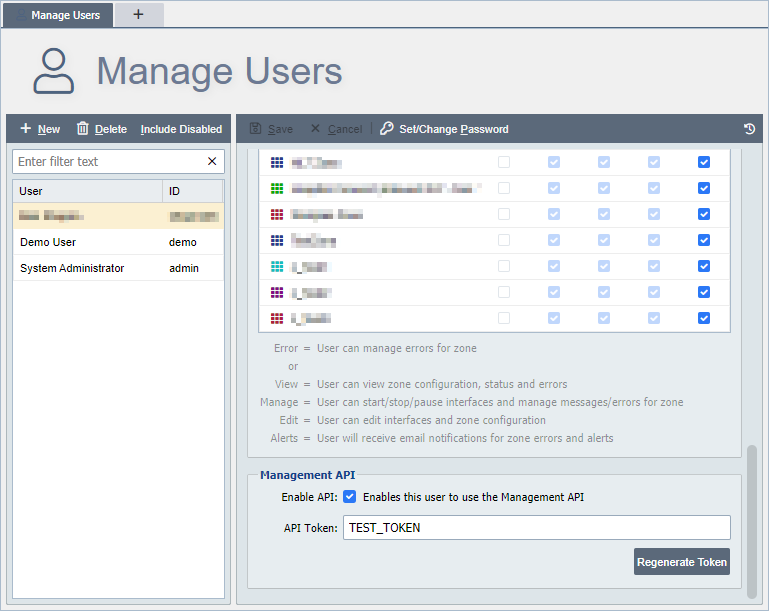
Navigate to the Manage Users page and select an administrator user. Scroll to the bottom of the page and find the Management API field set. The two options are as follows:
Enable API: This enables this user for use with the Management API, if no token exists, then a new apiToken is generated automatically when this option is enabled.
API Token: The API token should be protected and kept secret as it allows access to the Management API. This token can be re-generated by selecting the Regenerate Token button. If there is a need to use the same apiToken on several different QIE instances, this token can be set manually.