Monitoring Server Resources

The QIE system status can be monitored at the global, zone or channel level. A summary of the system status is also displayed at the bottom of the navigation panel. When the console is reached through a Remote Management Hub, the site's Display Name shows under the counts (see Identifying a Site in Its Console).
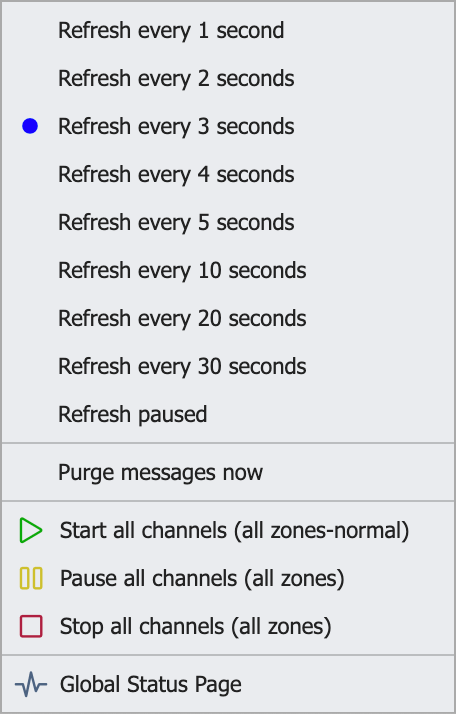
The status context menu is accessed by right clicking the status summary panel. The context menu allows you to change the frequency of the status update, open the Purge Messages dialog, manage all channels (start/pause/stop) for all zones, or open the Global Status Page.
- Global System Status shows server-wide resource and throughput status.
- Zone Status rolls the same status up per zone.
- Channel Status Tab shows per-channel state, queue counts, and processing activity.
- Message History Tab shows historical message volume for a channel.
- Exporting Log Messages covers pulling system log messages out of QIE for analysis.
- External Status Endpoints are read-only HTTP endpoints an external monitoring system can call to check the engine and individual channels.