Packages
Packages allow a user to create a distributable package including all required resources (WS and DB connections, published functions/mappings, system variables etc). This allows the user to have total control over the package including which items are included and which items in the package can be edited.
Managing Packages
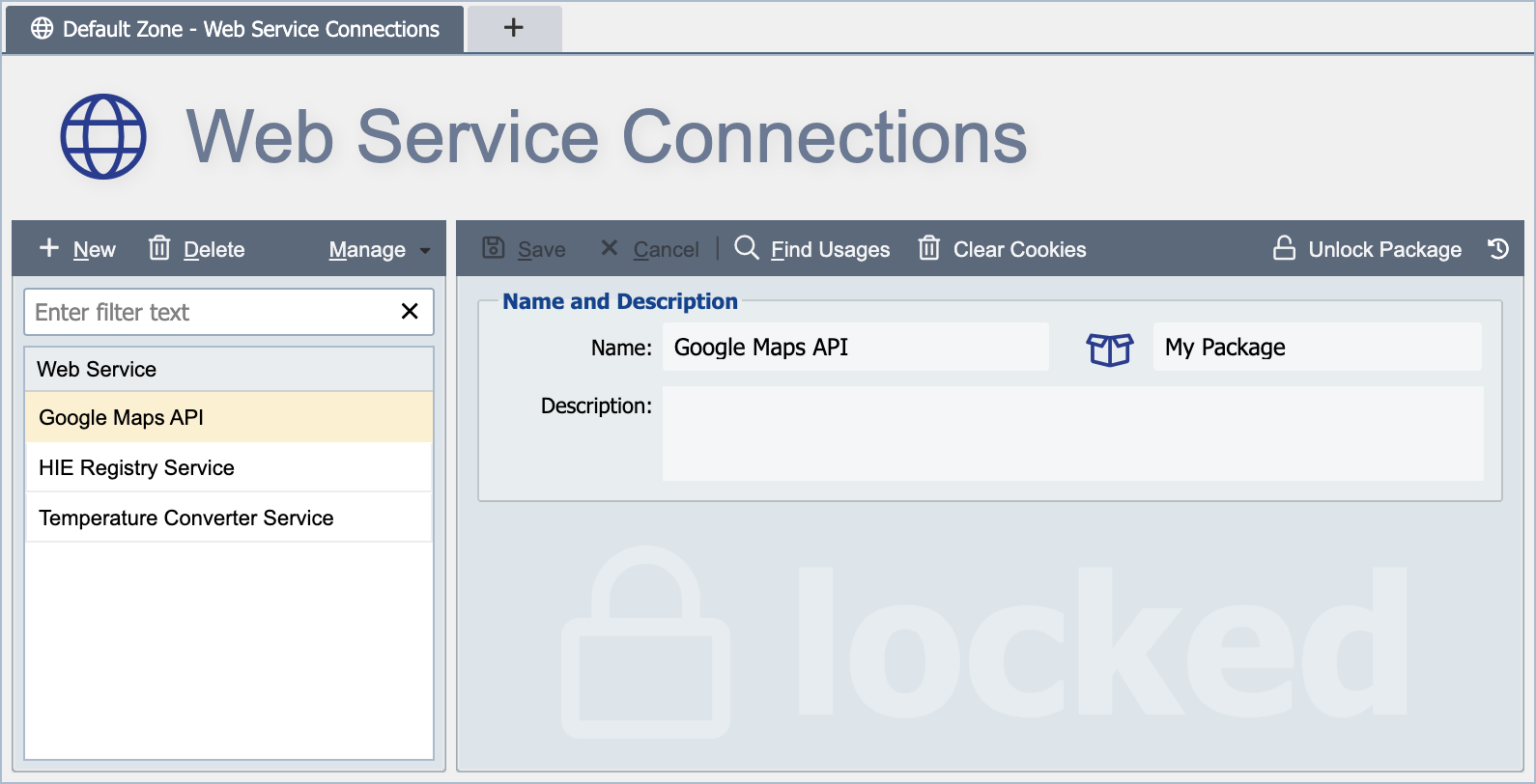
Locking a Package
A package can be protected with a password. Locking serves two purposes:
- On the source server, every resource that belongs to the package is displayed with a lock icon and its contents (channel definitions, mappings, custom scripts, etc.) are hidden from users who do not know the password. This lets, for example, an OEM Partner ship a working channel set without exposing the underlying mapping logic.
- The exported package file is encrypted using the same password, so the XML on disk cannot be inspected or imported into another QIE instance without it.
Set the password from the Package dialog. The password is stored as a one-way hash. There is no recovery mechanism. If the password is lost, the package cannot be unlocked or re-imported. Keep a copy in a secure password store.
To unlock a package for editing, use the Unlock Package button and enter the password.
Author License
An Author License provides a recovery mechanism for the developer who builds and locks a package. Linking a QIE license to a package as its Author License lets QIE administrators on any server running that license unlock the package without needing the package password, which is useful when the password has been forgotten on the development server but the IP protection must remain in place for customers.
Any existing QIE license can serve as an Author License, or contact Qvera support for a dedicated one. Link it to the package using the Set Author License button in the Package dialog.
How the asymmetry works:
- On a server running the Author License: any user with administrator permissions can unlock the package, bypassing the password.
- On any other server (typically a customer's QIE installation) the Author License is not present, so the package password is the only way to unlock the package.
This means the package author can recover access to their own work without distributing an "unlock anywhere" key. Customers still depend on the password they were given.
Publishing a Package
Use the Publish button to make the package ready for export. A published package can be exported from this QIE instance and imported into another. Combined with a password lock, publishing protects the intellectual property of the user who built the package. Unauthorized users cannot access or modify the included channels, mappings, or custom scripts.
Contents Tab
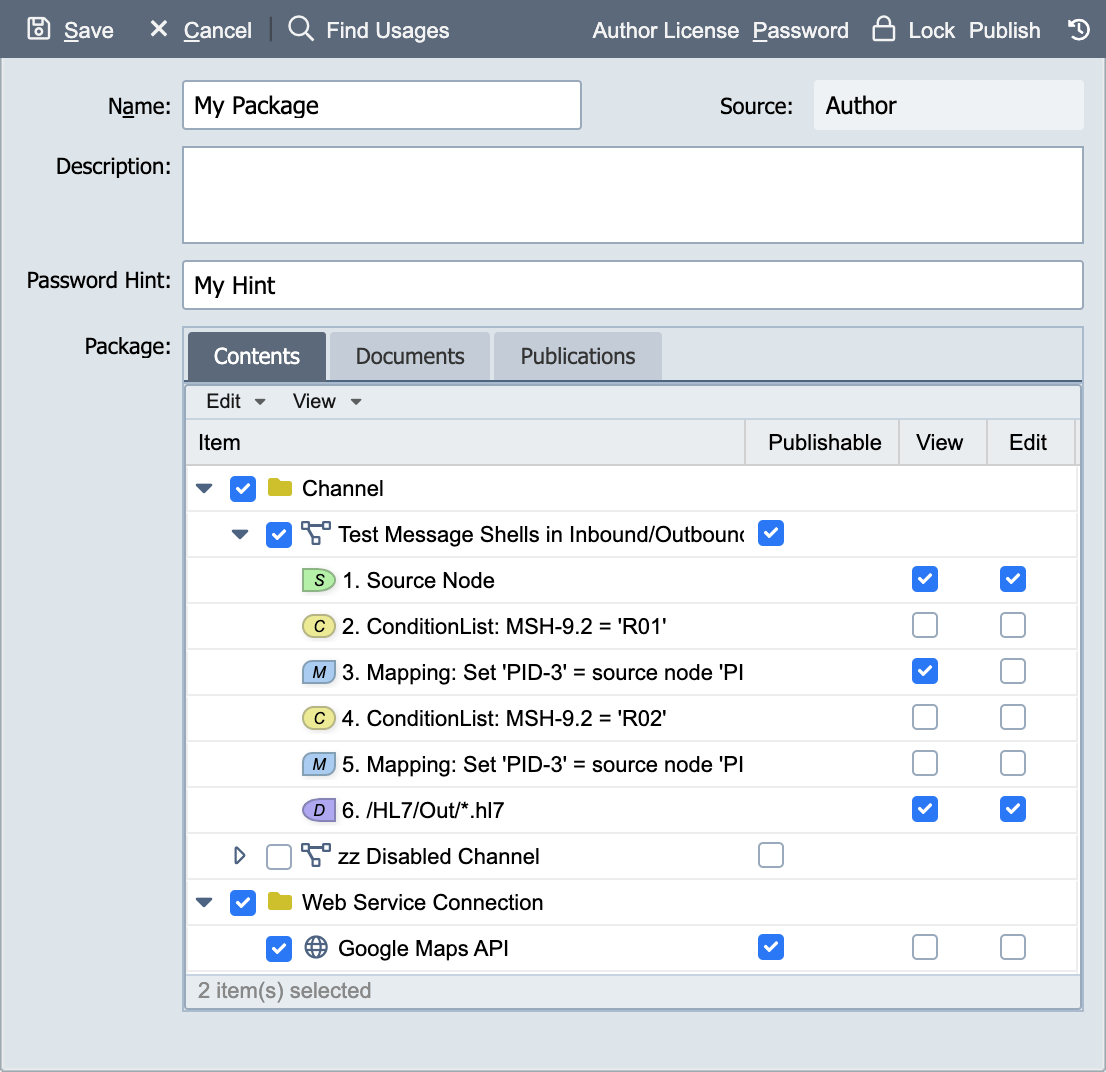
The Contents tab includes all of the available resources from the zone. The checkbox to the left of each item is used to include the item in the package.
Item
Use the checkbox to include the given item in the package.
Publishable
Marks the item as eligible to be included in a Publication. A Publication can only reference items that are flagged Publishable on the Contents tab. Selected items are flagged Publishable by default; uncheck this to keep the item in the package but exclude it from all Publications.
View
If View is selected for an item, users with access to the zone can view (but not modify) this item. View is suitable for mapping nodes and condition nodes.
Edit
If Edit is selected for an item, it can be modified by a user with the proper permissions. This would be suitable for items that require changes like endpoints, ws connections, database connections, etc.
Documents Tab
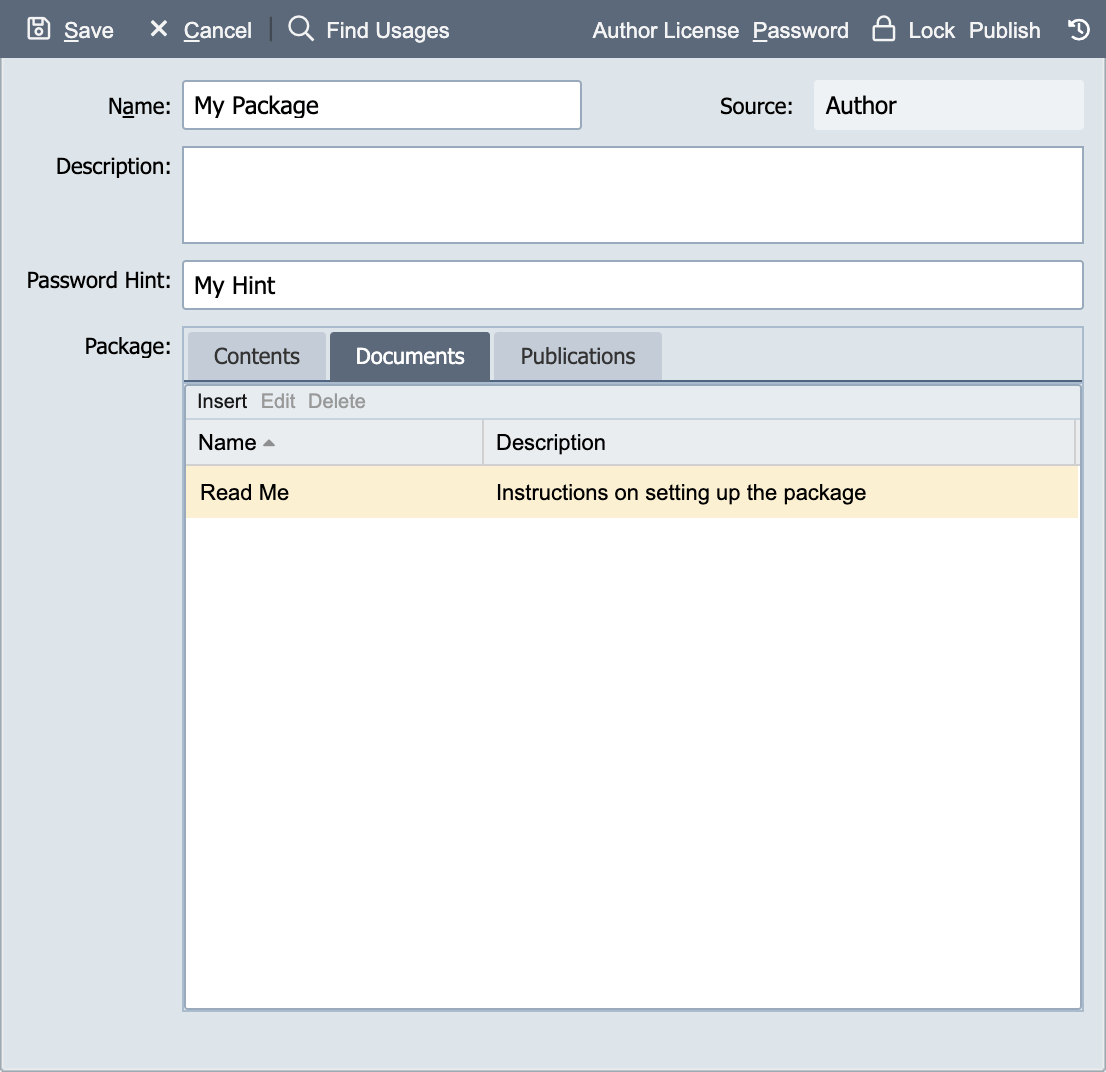
The documents tab allows a package to be created with text documents such as a readme guide on how to use the channel.
The file menu includes an option to import a text document.
Publications Tab
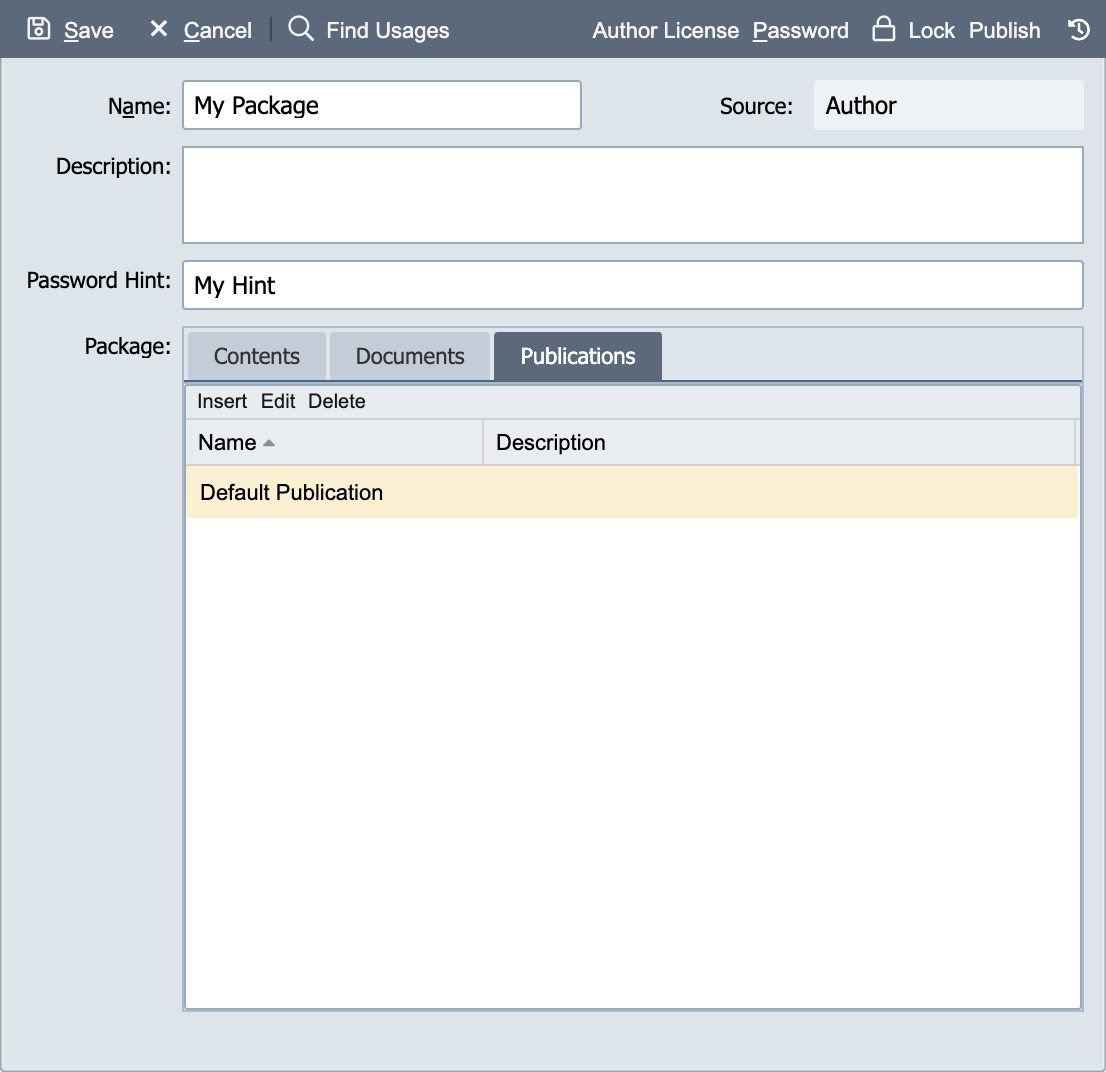
The publication tab allows the user to create a specific publication that contains a portion of the package items. Only items that are part of the current package can be included in the publication. When a package has been exported, publications can be selected for import which makes the process of installing and configuring an interface very simple.