Standard Mapping Function
The Standard mapping function copies fields from the input message to the output message. It is the function most channels are mostly made of: no transformation, just "this field goes there".
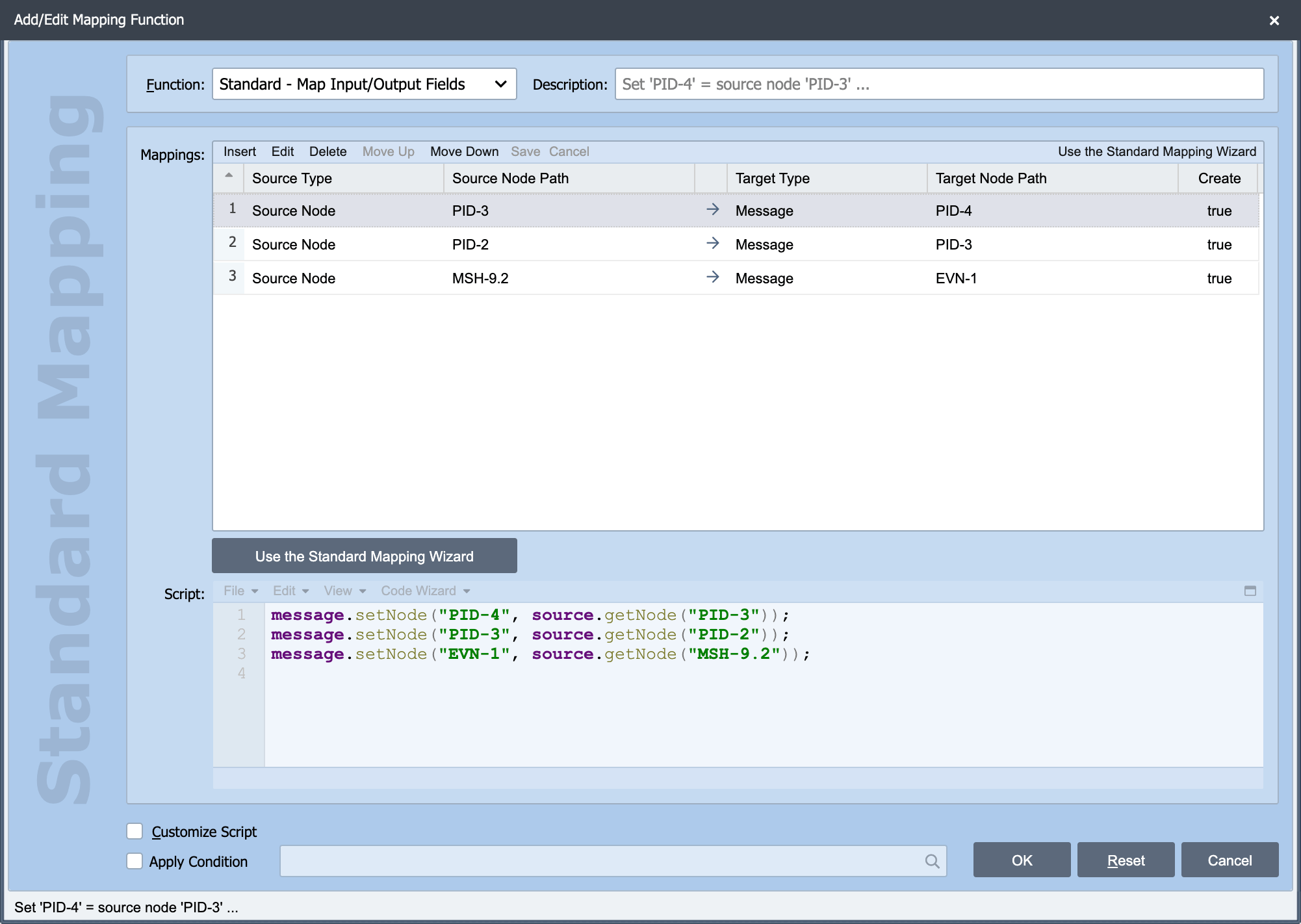
Standard is one of the built-in mapping functions on the Add/Edit Mapping Function dialog. The Source, Node Path, Target, Apply Condition and Customize Script settings behave the same way for every function. See Working with Mapping Functions for those.
Because Standard applies no transformation of its own, those shared settings are its configuration: Source and Node Path say where the value comes from, Target says where it goes.
Two ways to build the mappings
Type them into the mapping grid. Add a mapping function, set Source and Node Path, set Target. This is the quickest route when you know the paths, and when you are copying a mapping from another channel.
Use the wizard. The Standard Mapping Wizard Dialog gives you a point-and-click interface: pick the input field, pick the output field, click Add Field Mapping. It also shows the resulting Target Message as you go, so you can confirm the mapping produced what you expected before leaving the dialog. Prefer it when you are working against an unfamiliar message structure.
Both routes produce the same mapping, the wizard is a way of writing it, not a different kind of function.
Mapping several fields at once
A single Standard mapping function handles one source-to-target mapping. A mapping node holds as many functions as you need, and they run top to bottom in the order listed, which matters when a later mapping depends on the result of an earlier one. See Working with Mapping Functions for reordering and for copying functions between channels.
Tip
Give every mapping function a Description. QIE generates one from the configuration if you leave it blank, but a mapping node with thirty generated descriptions is far harder to read six months later than one where each line says why the mapping exists.