Socket (HL7 MLLP) Receiver
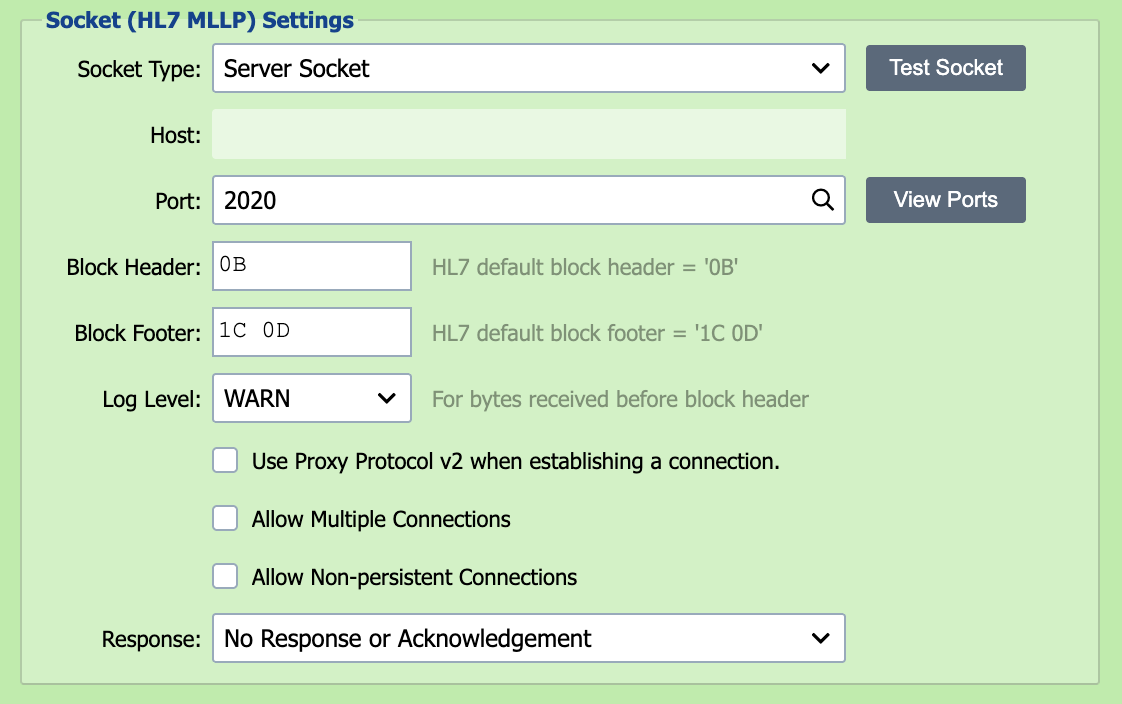
An HL7 MLLP socket is a TCP/IP socket connection which implements the HL7 MLLP communication protocol. QIE can be configured to listen for HL7 MLLP socket connection requests on a specified port.
A TLS-secured variant (the Secure Socket (HL7 MLLP) Receiver) is documented at the bottom of this page; it shares the same configuration with a few additional certificate-related fields.
TCP only
QIE's socket receivers communicate over TCP. UDP is not natively supported; if a partner can only send over UDP, place a UDP-to-TCP relay between them and QIE, or assemble messages in a Custom Script Receiver using java.net.DatagramSocket.
Socket Receiver Settings
Socket Type
QIE can either be configured to listen for connection requests from remote hosts (Server Socket) or to establish a connection directly with a remote host (Client Socket). In most cases, the socket receiver is configured as a Server Socket.
Test Socket
Selecting the Test Socket button verifies that the configured port is available and opens a test socket connection. For a Server Socket, if the port is already in use by another channel, QIE reports the zone and channel holding it so you can stop that channel before testing.
Because a running channel already owns its listening port, Test Socket cannot check the port of a channel that is currently running. Stop the channel first. Test Socket only confirms that the port can be bound; it does not deliver a message into a running receiver. To send a test message to a running socket receiver, connect to its port from a client (see Testing a Channel End to End).
Host
If the socket type is set to Client Socket, the host that QIE is connecting to is entered here. The host should be entered as either a fully qualified domain name (FQDN) or an IP address.
Port
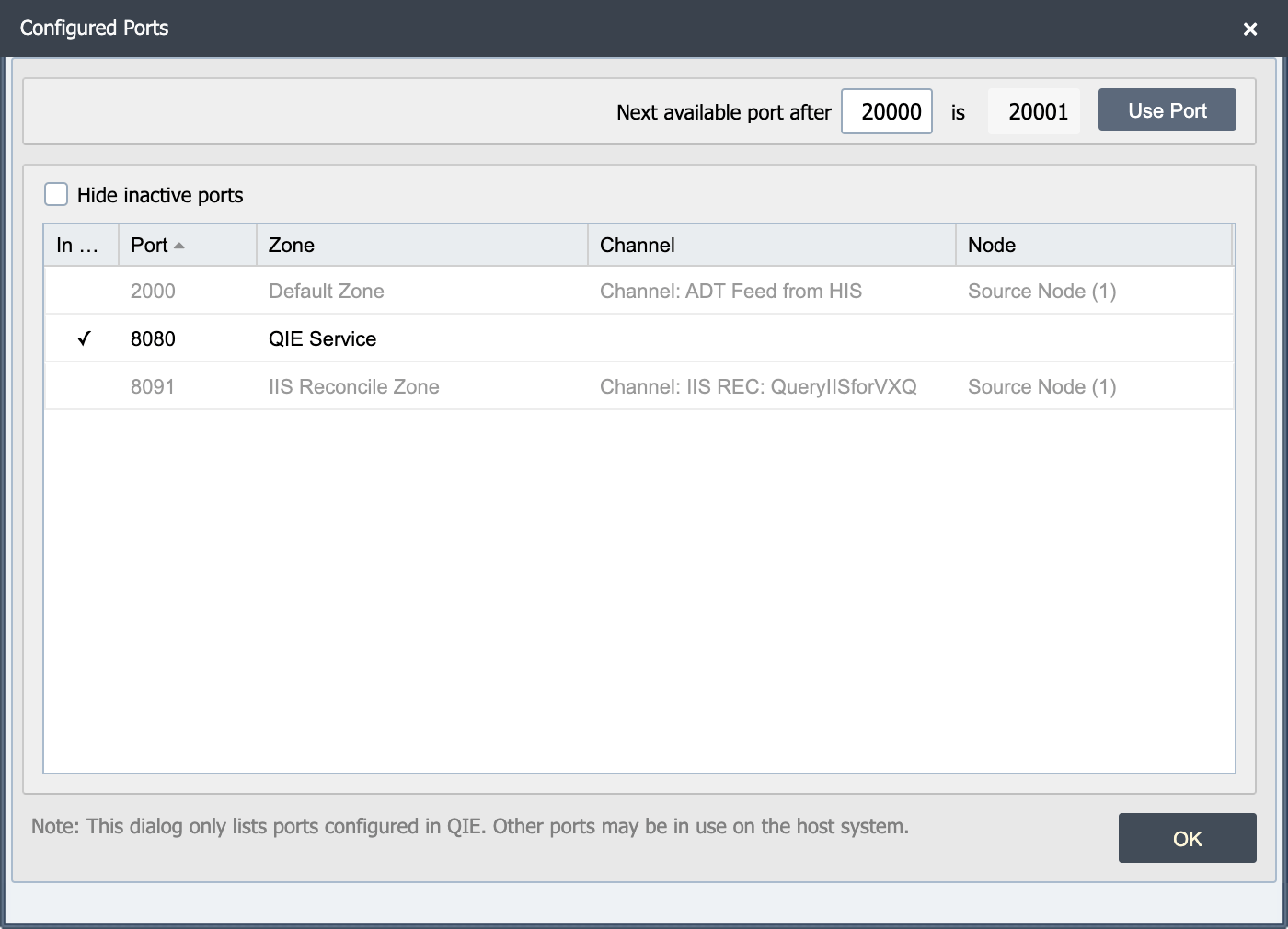
When acting as a Server Socket, QIE listens on the specified port. When acting as a Client Socket, QIE attempts to establish a connection with the Host on the specified port.
View Ports
The view ports button displays a list of ports in use on the QIE server. This dialog highlights the active ports, and a checkbox allows the user to hide the inactive ports from the list.
Note
This dialog only lists the ports configured in QIE. Other ports may be in use on the host system.
Note
When publishing a Socket Listener, be sure to open the selected port on the local and/or network firewall. Otherwise, remote clients may be unable to connect.
Block Header and Block Footer
When using a Socket Receiver to receive HL7 formatted messages, the HL7 MLLP specification requires that a block header value and a block footer value be sent to signify the beginning of the message and the end of the message respectively. The MLLP defaults are 0B (VT) for the block header and 1C 0D (FS + CR) for the block footer.
When a connection establishes but no messages reach the channel, capture the inbound traffic with a packet analyzer (Wireshark, tcpdump, etc.) and inspect a payload packet: the byte preceding the first MSH segment is the block header the sender is using, and the bytes immediately after the final segment are the block footer. If those do not match what's configured on this source, change either the sender or this source so they agree.
Allow Multiple Connections
When acting as a Server Socket, QIE can be configured to accept incoming messages from multiple clients or connections. If this option is not selected, QIE denies any subsequent connection attempts that are made while a client is already connected.
Allow Non-Persistent Connections
Select this box if the sender is creating a new connection for each message. When this option is not selected, QIE expects each client to keep its connection open; a sender that connects, sends a single message, and disconnects log a socket connection from {IP} terminated by peer warning for every message. Enabling this option tells QIE to expect that connect-send-disconnect pattern and suppresses those warnings.
Response
When processing inbound messages, the sending system may require a response or acknowledgement. QIE supports the following response options:
| Response Option | Description |
|---|---|
| No Response or Acknowledgement | No response or acknowledgement message is sent back to the client. |
| From Acknowledgement Script | The response is generated using the Response Script and posted back to the client prior to the message being processed through the channel. |
| From Mapping or Destination node | QIE holds the request open while the message is processed through the channel and waits for a response to be posted by one of the channel nodes (by calling the qie.postMessageResponse() function). |
Response Script
When the Response option above is configured to post a response From Acknowledgement Script, the response script is executed in order to generate and post the desired response back to the client prior to processing the message through the channel.
Timeout
When the Response option above is configured to post a response From Mapping or Destination node, QIE holds the request open until 1) a response is posted by one of the channel nodes (by calling the qie.postMessageResponse() function) or 2) the specified timeout period is exceeded while waiting for a response.
Timeout Script
If the request times out waiting for a response to be posted, the timeout script is executed and is expected to post a "timed out" response to the client by calling the qie.postMessageResponse() function (see Creating Custom Scripts for more information).
Preprocess Received Bytes
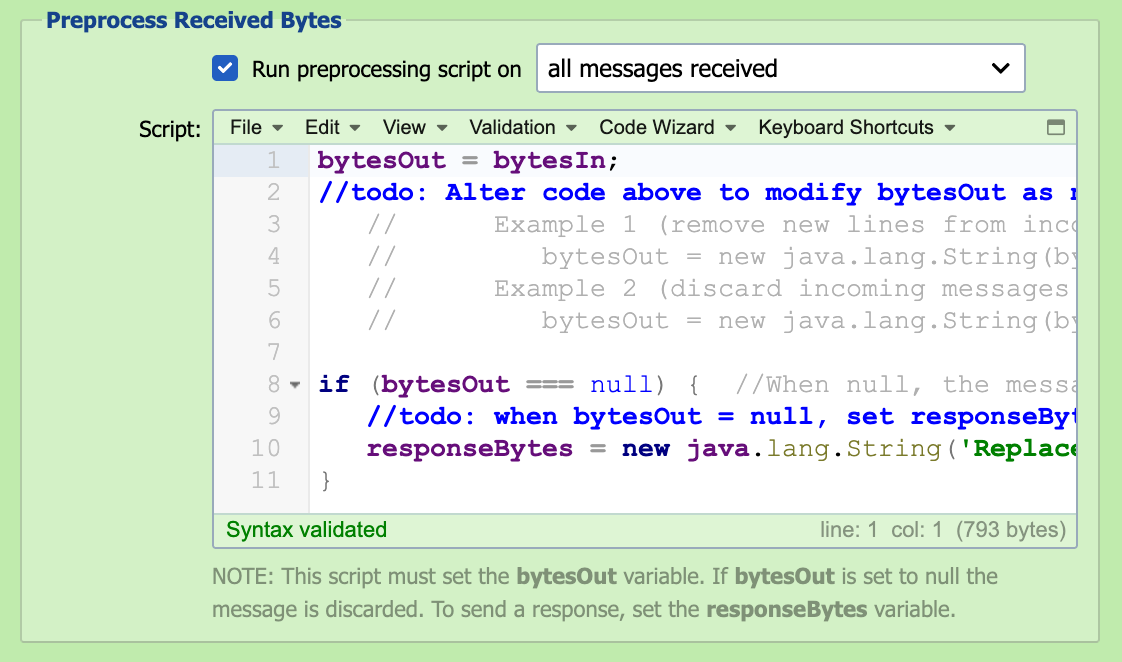
In some cases, it may be necessary to pre-process the received bytes to correct malformed messages before submitting them to the inbound queue. Configuring a preprocessor script allows the bytes to be manipulated and/or discarded before processing the message through the channel.
Run Preprocessing Script On
The preprocessing script can be run against all messages received or only on messages that fail to parse.
Script
The received bytes are available to the script as the bytesIn byte-array. To inspect or edit the content as text, convert it to a String using the channel's configured encoding, which qie.getChannelEncoding() returns. The preprocessing script must set the bytesOut variable as a byte-array. If bytesOut is set to null, the message is discarded and not submitted to the inbound queue. The preprocessing script can also be used to post a message response. To send a response, set the responseBytes variable as a byte-array. Changing the preprocessing script does not change messages QIE has already received. The preprocessing script runs only when the receiver first receives the bytes, and resolving or resubmitting a message from the channel's message history does not run it again. To correct a message that is already in the error queue, select Edit source message in the Message Detail dialog before resolving it. A message that fails in the preprocessing script never enters the channel, so it has no stored source content. Resolving or resubmitting it without an edit is refused. Copy its content from the Message Detail dialog into the Test window to debug the script, then either edit the source message and resolve it, or discard it. To test a change to the script, send the source a new copy of the message.
Resolving a preprocessing script error
When the preprocessing script fails, the receiver sends no acknowledgement, so the sending system may send the message again. Check for a resent copy before resolving the error with an edit, or the message is processed twice.
Secure Socket (HL7 MLLP) Receiver
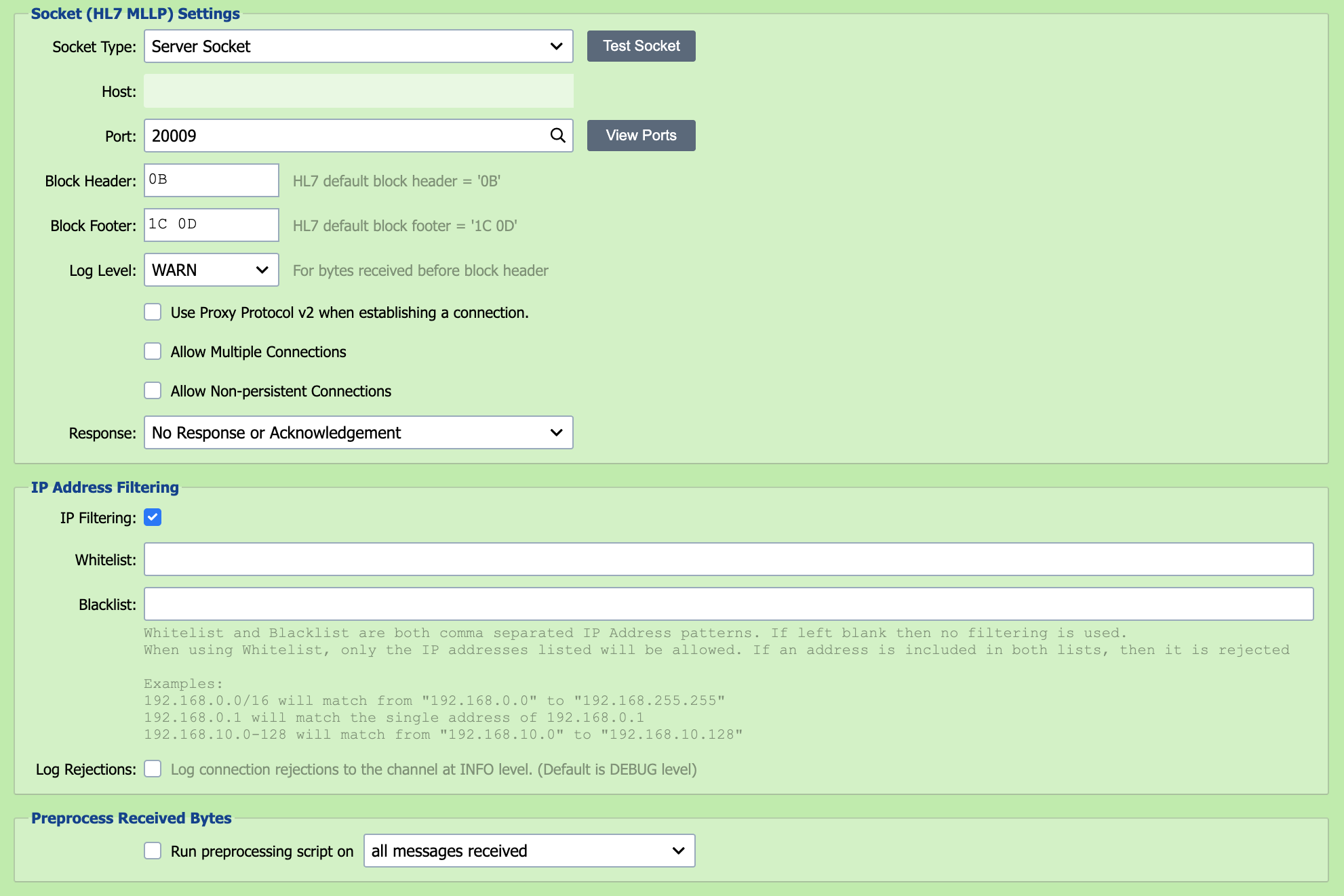
The Secure Socket receiver works the same as the Socket (HL7 MLLP) receiver but adds the TLS-related fields described below.
Server certificate vs Client Auth certificate
The Secure Socket receiver makes QIE the server in this TLS connection, so the Server Cert is QIE's own certificate. Client Auth is the optional second half of mutual TLS. Enable it only when you want to require the remote sender to present a certificate too. See Certificate Management for how to generate or import these.
Server Cert
Select QIE's server certificate. QIE presents this to the remote sender during the TLS handshake; the matching private key is held in QIE and never sent.
Client Auth
Check this box to require client-authenticated (mutual) TLS, then select the public certificate (or CA certificate) that incoming connections must present. QIE rejects any sender that does not present a matching certificate.
Override cipher suites for this connection
By default, the listener accepts the JVM's default TLS cipher suites. Check this box to restrict the listener to a specific set, then enter the suite names in the field below as a comma-separated list. Use this when a partner can only negotiate a particular cipher or when site security policy requires excluding weaker suites. Suite names use the standard Java naming convention, for example TLS_RSA_WITH_AES_128_CBC_SHA, TLS_ECDHE_RSA_WITH_AES_256_CBC_SHA384.
Allow Multiple Connections
This option is not available for a secure socket.
Allow Non-Persistent Connections
Select this box if the sender is creating a new connection for each message. When this option is not selected, QIE expects each client to keep its connection open; a sender that connects, sends a single message, and disconnects log a socket connection from {IP} terminated by peer warning for every message. Enabling this option tells QIE to expect that connect-send-disconnect pattern and suppresses those warnings.