IAM Role
The ECS task runs with the 'ecsTaskExecutionRole'. This role does not have permissions to read the secrets from the secret manager, so grant the role access.
Create IAM Role
From the IAM management page, select 'Roles' from the menu on the left. At the top of the page, select the 'Create role' button.
Under the 'Select trusted entity' section, select the 'AWS service' box. From the 'Use case', do a search for 'Elastic Container Service' and then select the 'Elastic Container Service Task'. Select the 'Next' button.
Under the 'Add permissions' filter the list to 'AmazonECS' and then select the 'AmazonECSTaskExecutionRolePolicy' from the list. Click on the 'Next' button.
Under the 'Role name', input 'ecsTaskExecutionRole'. Now click on the 'Create role' button.
Update IAM Role
From the IAM management page, select 'Roles' from the menu on the left. In the search bar type 'ecs' and hit enter. Click on the 'ecsTaskExecutionRole'.
Click on the 'Add permissions', then select the 'Create inline policy' option from the 'Permissions' tab.
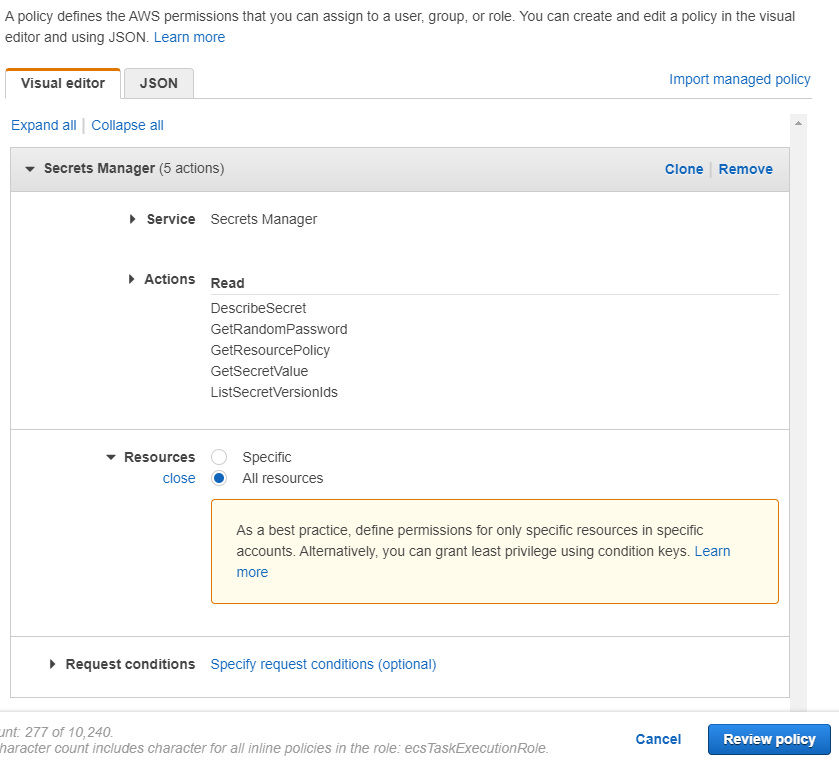
Click on 'Choose a service' and type 'secrets' into the search bar, then select the 'Secrets Manager' from the list.
Click on 'Read' and then expand the 'Resources' option below. Select 'Specific', click on 'Add ARN', and paste the ARN of the 'qvera/ecs/database' secret (shown on the secret's detail page in Secrets Manager). This lets the role read only that one secret. Click on 'Review policy' at the bottom.
Give the new policy a name 'qie-ecs-secrets-access'. Click on 'Create policy' to attach it to the role.