REST Web Service (Content Encoded)
The REST (Content Encoded) mapping function calls a REST endpoint with a body you compose: text, XML, or JSON. "Content encoded" distinguishes it from REST Web Service (URL Encoded), which puts its parameters in the URL instead: use this one when the endpoint expects a request body.
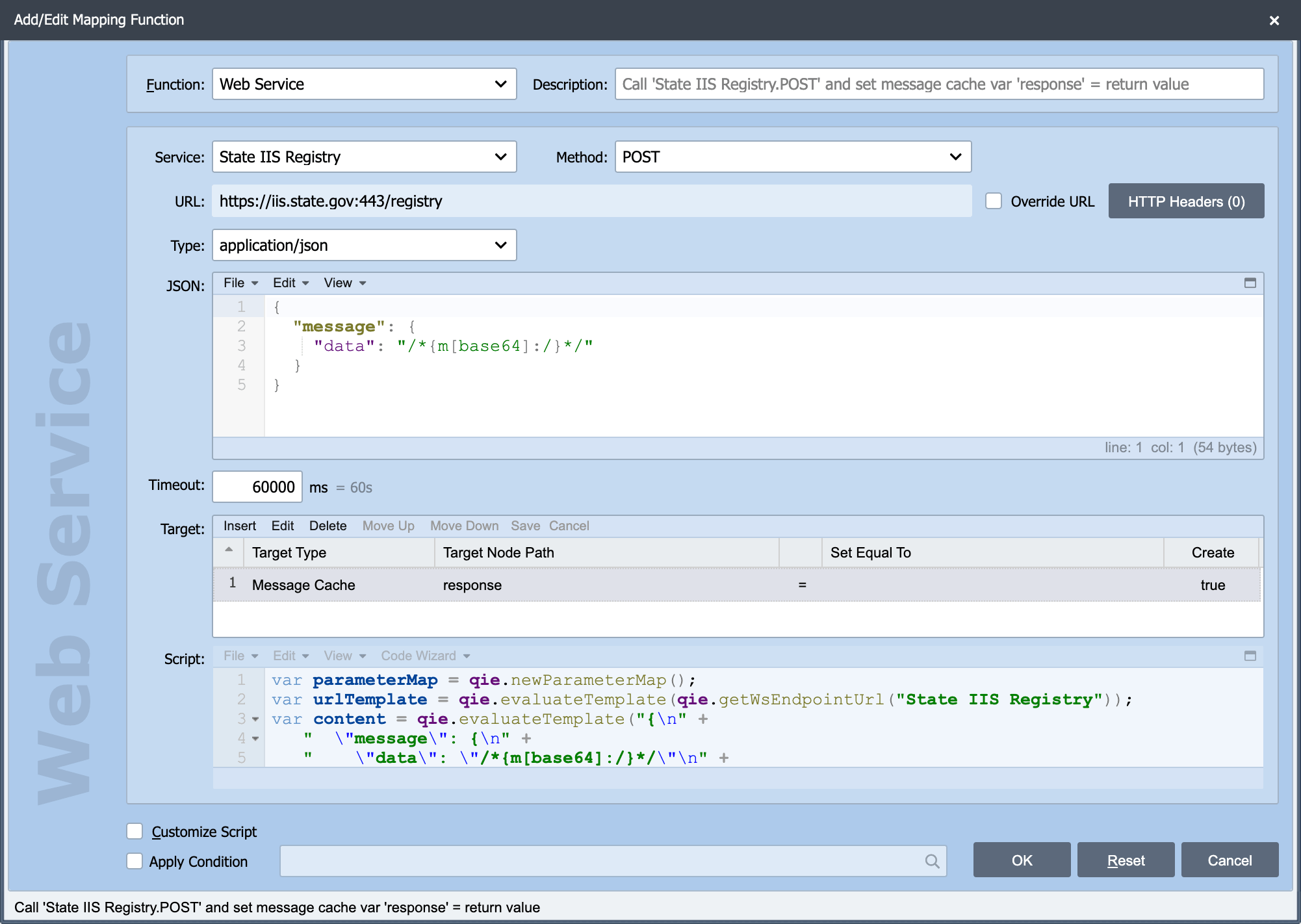
This is one variant of the Web Service mapping function, which variant you get is decided by the type of the connection selected in Service. The shared Source, Node Path, Target, Apply Condition and Customize Script settings are described in Working with Mapping Functions. The three settings specific to this variant are below.
Type
Type: The content type sent with the request. The common types are in the drop-down, and any other type can be typed in directly.
This is the value sent as the request's content type, so it has to match what the endpoint expects, a Content-Type the server does not accept is a common cause of a 400 or 415 response that otherwise looks like a QIE problem.
Text, XML or JSON
Text, XML or JSON: The request body.
The body is a template, not a fixed string: embed Node Tags to insert values from the message, and see Node Paths for the path syntax inside them. That is how a static body becomes a per-message request.
Warning
A value inserted into a JSON or XML body is not escaped for you. A node containing a quote, an ampersand, or a < produces a malformed request. Escape the value first, the escape functions are in the Code Wizard under Escape Functions, and see Composing XML Messages from Fragments for the pattern.
Timeout
Timeout: How long QIE waits for a response before giving up, erroring the message, and aborting the call.
Set this deliberately. The timeout is how long a message occupies a processing thread when the endpoint stops responding, so a long timeout on a high-volume channel is how one slow endpoint becomes a channel-wide backlog. Match it to what the endpoint actually needs, not to the worst case you can imagine.
Related
- REST Web Services covers working with the response
- Posting multipart/form-data from a Script covers the case where the body needs to be multipart
- Inspecting Requests and Responses covers seeing exactly what went over the wire