The MCP Server on a Hub
A Remote Management Hub runs an MCP server of its own, so a person can sign an AI assistant in once, at the Hub, and work at every site where their role holds the MCP grant at the Hub. The Hub's server offers three kinds of tools:
- Site tools run at a site the call names, or at every site carrying a tag for a tool that only reads and never asks the person. They are the tools a site's MCP server lists, except the user and role tools.
- Job tools prepare and run jobs at the Hub.
- The help tools,
search_helpandget_code_wizard_reference, are answered by the Hub itself, as are the help pages, guides and prompts (see MCP Help and Code Wizard Tools).
Each call to a site carries a statement that the Hub signs for that one call. The site runs the call under its own MCP rules, and only while it accepts MCP calls through the Hub (see MCP Calls Through the Hub).
The MCP Page on a Hub
On a Hub, System Administration -> Model Context Protocol (MCP) holds the Hub's own MCP settings. Only administrators see it, as on an engine, and it works as Model Context Protocol (MCP) describes, with these differences:
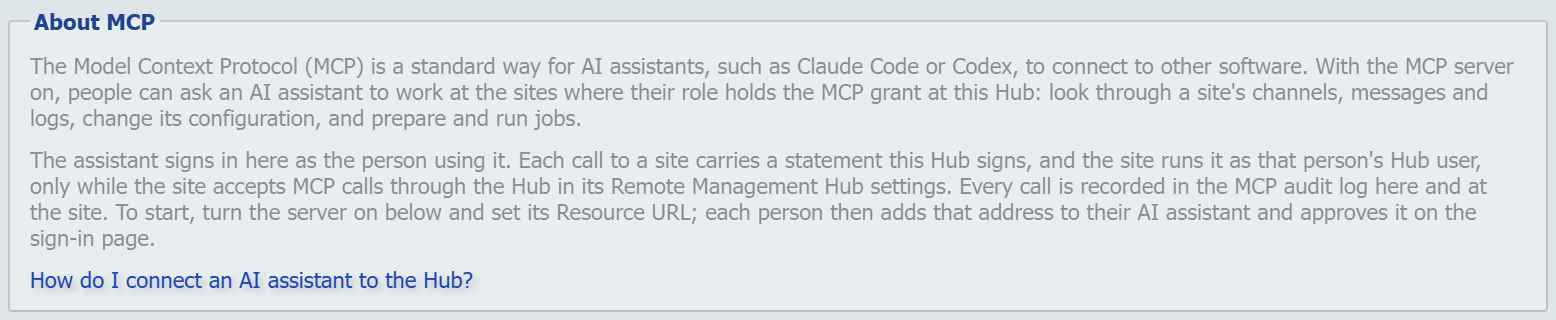
- The About MCP box describes the Hub's MCP server.
- Return message content and Require client confirmation are not shown, because each site decides them for the calls it runs. The box that holds them on an engine is titled Reports on a Hub, and holds only Allow reports to Qvera.
- Server Certificate does not offer the server certificates and internal CA certificates that Hub Configuration holds for the tunnel listener, and MCP Port may not be the tunnel listener's Port.
Allow reports to Qvera decides whether the Hub lists send_report. The tool runs at a site like any other site tool. The site refuses it while its own Allow reports to Qvera is off, and also while its Require client confirmation is on, which is the default, because through the Hub the site cannot show the person a form (see What Is Refused Through the Hub).
Every other setting is the same as on an engine and is described in MCP Settings: the server switch, port, certificate and addresses, client certificates, tokens, the limits and the audit log. The Registered Clients and Sign-Ins lists hold the clients and sign-ins of the Hub's own MCP server.
Turning the Server On
Turn the Hub's MCP server on as an engine's is turned on, on the Hub's own MCP page (see Turning the MCP Server On). Then open the Hub's MCP port to the workstations that will connect.
The server on the Hub reaches no site by itself. A site takes calls from it only once the site turns on Use Hub and Accept MCP calls through the Hub (see MCP Calls Through the Hub).
Signing an AI Assistant In
Each person adds the Hub's Resource URL to their AI assistant and approves the assistant on the Hub's approval page, signed in with their Hub account, as on an engine (see Connecting Your AI Assistant and MCP Client Sign-In).
The access the person chooses on the approval page (read only, manage or full) goes with every call to a site, and each site uses it as the call's scope. The site never sees the approval itself, only the access each statement carries.
To work at a site, the person's role also needs the MCP grant at that site. Grants are given to roles, for tags, in the Site Access section of the role on the Manage Roles page. A grant reaches every site that carries one of its tags (see Site Access Grants). A Hub administrator holds the grant only through their role, like anyone else. list_sites lists the sites where the person's role holds it. The job tools need the Jobs grant as well.
The assistant's tokens are issued by the Hub. Revoking a client or a sign-in on the Hub's MCP page ends the assistant's access through the Hub. Revoking sign-ins on a site's MCP page does not, because the site holds no token for the assistant.
The Audit Log on a Hub
The Hub keeps its own MCP audit log, which an administrator views and exports from the Hub's MCP page as on an engine (see MCP Audit Log).
- A call to one site: The Hub's entry names the tool, the person and the AI assistant. Its details give the site's label as
siteand the ids of the statements the Hub signed for the call asstatementIds, also when the call ended without the site's answer, since it may still have run there. Its outcome follows the site's answer, or the Hub's own refusal when nothing was sent. A call sent to the site that got no answer in time is recorded as failed, not refused, since it may have run there. Content returned follows the site, which says in its answer whether the call returned message content. - A call across a tag: The details give the tag's name as
tagand every statement the call signed asstatementIds, those for sites that gave no answer included. Content returned is set when any site says its part returned message content. - A job tool: The entry names the job as its target.
The site records the same call in its own MCP audit log, with the statement's id as the request id, so the two entries can be matched. A question the Hub puts to the person for a site is recorded at the site. The questions for starting and stopping a job are recorded at the Hub.
The Listener on a Hub
The Hub starts its MCP listener once the Hub has started, if the MCP server is enabled, and stops it when the Hub shuts down. If the listener cannot start, or stops on its own, the Hub tries again every minute, as an engine does (see MCP Listener).
On an HA Hub, every node runs the listener with the same settings. Saving the MCP settings rebuilds the listener on the node that saved them at once, and on the other nodes through the Hub's node events (see HA Hub Deployment). Clients must reach every node through one address, the Resource URL, as for an engine cluster (see Deploying the MCP Server).
Any node can send a call to any site. A site whose tunnel another node holds is reached through that node.
Cleanup and Retention
The Hub's daily cleanup removes expired MCP tokens, codes, registrations and operation records, and deletes MCP audit entries older than the Audit Retention (days) on the Hub's MCP page. It first runs five minutes after the Hub starts and then every 24 hours. On an HA Hub, one node runs it.
Export and Restore
A Hub exports its MCP settings in a configuration export and restores them on import, Enable the MCP Server included, as an engine does (see MCP Settings and Hub Disaster Recovery). Registered clients, sign-ins and the audit log never travel.