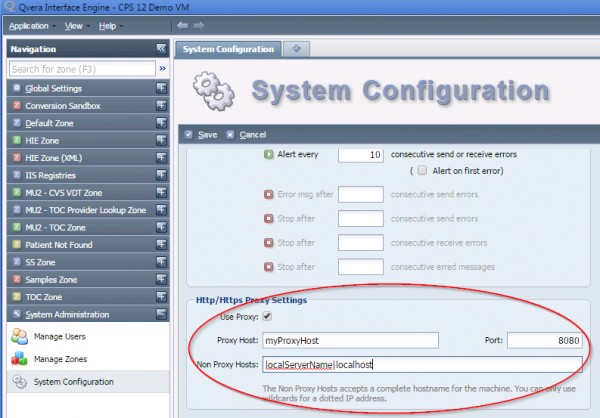
To configure Version 2.0.41 and above to work with a proxy do the following:
1. Click on "System Administration"
2. Click on "System Configuration"
3. Scroll down to the bottom and click on "Show Advanced Settings"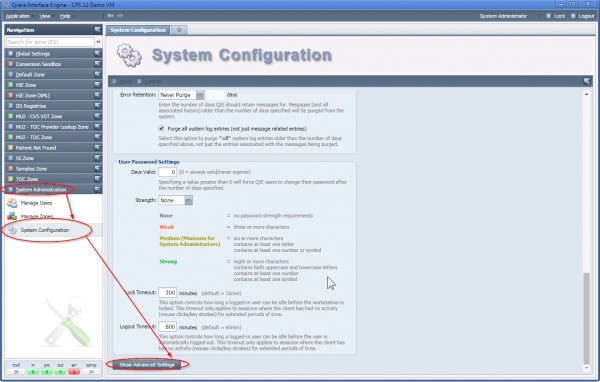
4. Keep scrolling down to the "Http/Https Proxy Settings"
a. Check the "Use Proxy" checkbox
b. Enter the hostname/ip address for the proxy in "Proxy Host:" Box
c. Enter the port for hte proxy in the "Port:" Box
d. "Non Proxy Hosts" is used to specify hosts you do not want to use the proxy server.
1. Multiple Hostnames can be entered separated by a pipe "|". Example "localhost|127.0.0.1|10.*.*.*|etc"
2. WildCard values can be entered. Example "10.*.*.*"
Note: When using DNS name a fully qualified name is required as they will not work with a wild card.